
Mastering Collaborative Diagrams with VPasCode, Pipeline, and VP OpenDocs
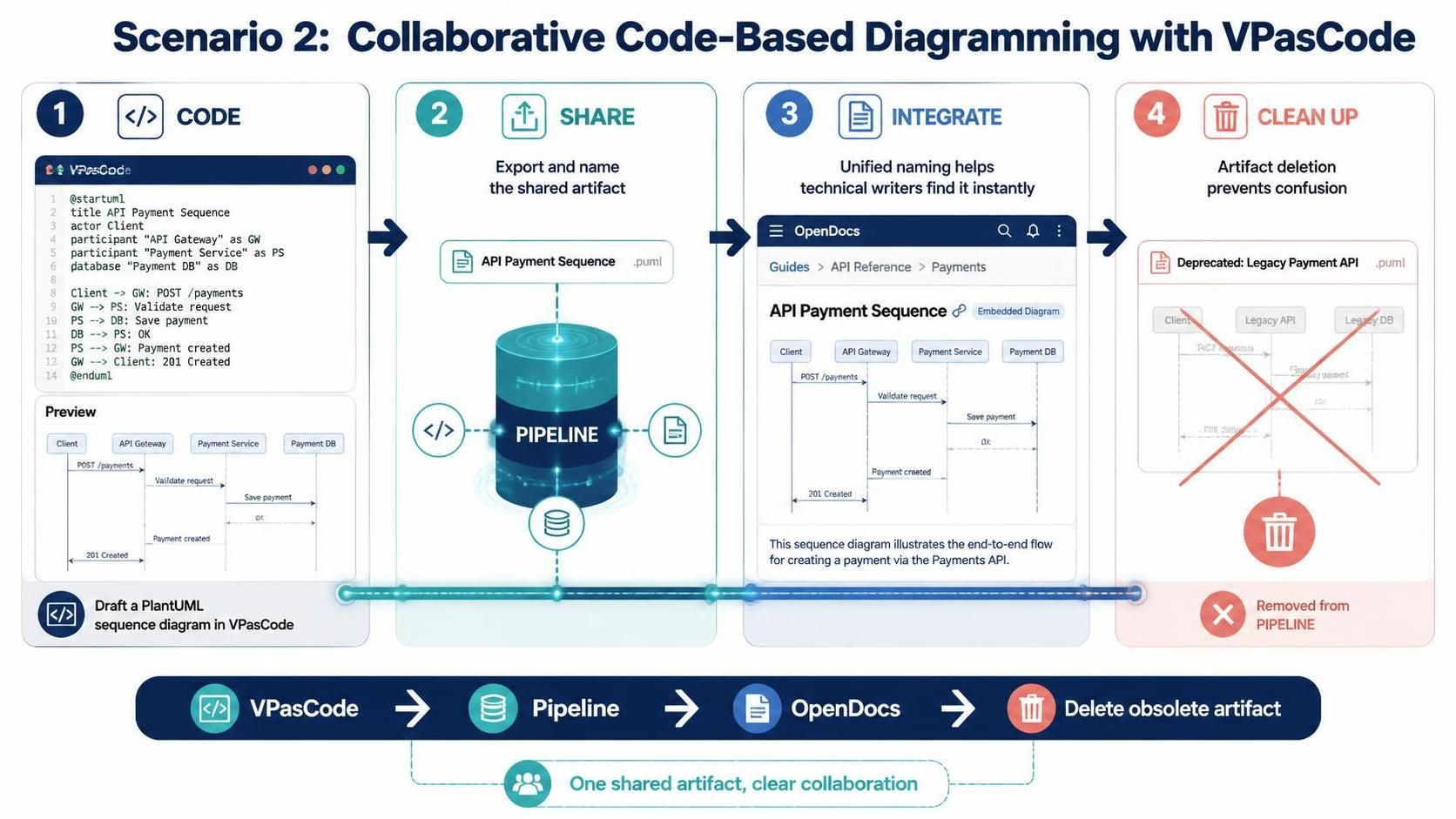
In modern software development, documentation is not a static afterthought; it is a living component of the system architecture. This tutorial explores a sophisticated workflow known as Collaborative Code-Based Diagramming. By integrating VPasCode (Visual Paradigm as Code), the Pipeline artifact management system, and OpenDocs, development teams can achieve a seamless lifecycle for their technical diagrams.
We will walk through a specific scenario: creating an API Payment Sequence diagram, sharing it across the team, embedding it in documentation, and finally, cleaning up legacy artifacts.
1. The Code Phase: VPasCode
The process begins with the developer. Instead of drawing diagrams manually on a canvas, developers write code to generate visual representations. This approach, known as “Diagram as Code,” ensures version control compatibility and rapid iteration.
In this scenario, a developer uses VPasCode to draft a PlantUML sequence diagram. This is ideal for visualizing the flow of messages between system components, such as clients, gateways, and databases.
Step-by-Step Implementation:
- Open the VPasCode editor.
- Initialize a new file with the
@startumldirective. - Define the participants (actors and system components).
- Write the interaction logic using arrow notation.
Code Example: API Payment Sequence
@startuml
title API Payment Sequence
actor Client
participant "API Gateway" as GW
participant "Payment Service" as PS
database "Payment DB" as DB

Client -> GW: POST /payments
GW -> PS: Validate request
PS -> DB: Save payment
DB -> PS: OK
PS -> GW: Payment created
GW --> Client: 201 Created
@enduml2. The Share Phase: The Pipeline
Once the diagram is generated, it needs to be accessible to other team members. This is where the Pipeline acts as the central repository. The Pipeline manages the “artifact” (the diagram file) and its metadata.
Key Action: Export and Name
A critical feature in this step is the ability to assign a unified, human-readable name to the artifact. Rather than relying on a raw filename (e.g., sequencediagramv2.puml), the developer exports the diagram to the Pipeline and names it “API Payment Sequence”.
- This standardizes how the artifact appears across different tools.
- It creates a clear link between the code logic and the visual asset.
- It prepares the artifact for integration into documentation.
3. The Integrate Phase: OpenDocs
Documentation is where the work is consumed. A technical writer uses OpenDocs to create guides for the API. The challenge in the past was finding the correct diagram to embed.
Unified Naming in Action
Thanks to the naming convention established in the Pipeline, the writer can instantly locate the artifact. When searching for the “API Payment Sequence,” the system retrieves the exact diagram drafted in VPasCode.
The Integration Workflow:
- The writer opens the “API Reference” guide in OpenDocs.
- They search for the artifact named “API Payment Sequence”.
- They embed the diagram directly into the “Payments” section.
- The diagram renders live, ensuring the documentation always reflects the current state of the code.
4. The Clean Up Phase: Artifact Lifecycle
Software projects are dynamic. Eventually, APIs are deprecated, and old diagrams become obsolete. Leaving them in the repository creates “noise” and confusion for new team members.
Artifact Deletion
The final step involves maintaining the hygiene of the Pipeline. When the API is deprecated:
- The team identifies the artifact in the Pipeline.
- They use the artifact deletion feature.
- The “Legacy Payment API” diagram is removed.
This ensures that the Pipeline remains a curated library of current, relevant, and useful assets. It prevents the “zombie artifacts” problem where outdated documentation lingers indefinitely.
Conclusion
The integration of VPasCode, the Pipeline, and OpenDocs represents a significant shift towards “Single Source of Truth” architecture. By treating diagrams as code artifacts with unified naming and lifecycle management, teams reduce friction and ensure that their documentation stays perfectly synchronized with their models.