


Introduction
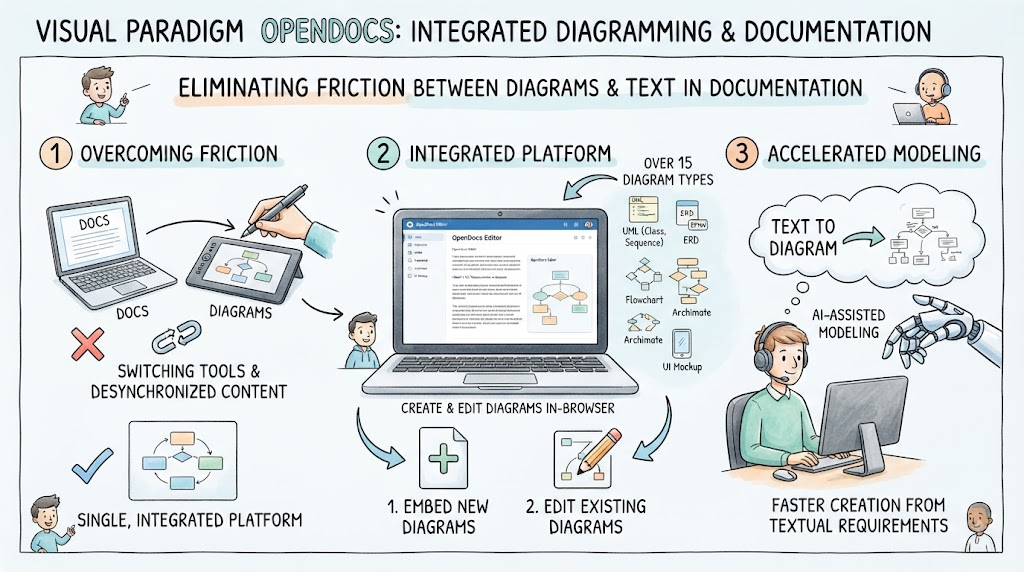
Documentation is the backbone of effective software engineering and business analysis, yet keeping diagrams synchronized with textual content remains a persistent challenge. Visual Paradigm OpenDocs addresses this friction by integrating a full-featured diagramming editor directly into its knowledge management platform. Rather than switching between external drawing tools and documentation editors, teams can create, edit, and manage over 15 distinct diagram types without leaving the browser.
This guide explores the capabilities of the integrated editor in Visual Paradigm OpenDocs. It covers the supported diagram taxonomy, explains the two primary creation workflows, and highlights how built-in AI translation accelerates the modeling process. Whether you are documenting system architecture or mapping business processes, understanding these direct modes is essential for maintaining a single source of truth.
Key Concepts
-
Integrated Editor: A native diagramming environment embedded within the OpenDocs page editor that eliminates context switching and ensures diagrams remain linked to their parent documentation.
-
Ad-Hoc Diagrams: Single-use visual components inserted directly onto a specific page for immediate, localized illustration needs.
-
Component Pages: Centralized, reusable diagram blueprints that can be referenced across multiple documents, ensuring consistency when updates are made at the source.
-
AI Translation Engine: A generative feature that converts natural language prompts or existing text into structured technical diagrams, significantly reducing manual drafting time.
-
Single Source of Truth: The architectural principle where diagrams and text coexist in one platform, preventing version drift between design artifacts and project documentation.
Supported Diagram Types
The integrated suite supports a comprehensive selection of documentation and engineering layouts. These are organized into five functional categories to support diverse team needs:
UML Diagrams
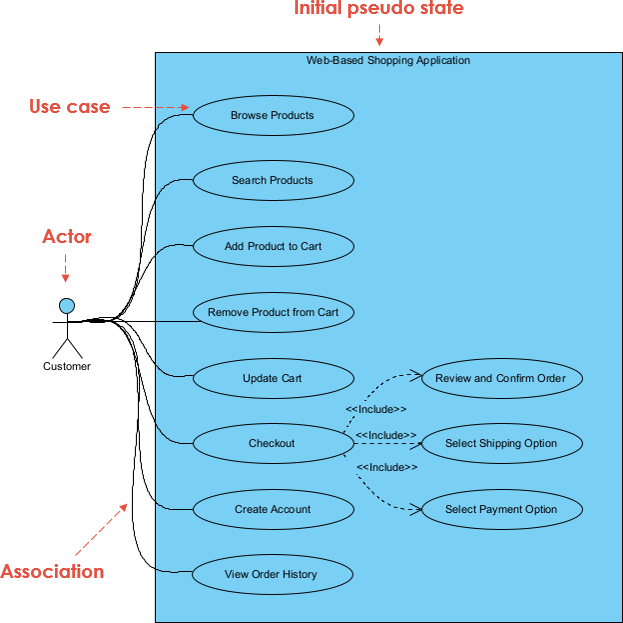
For software architects and developers, the platform provides standard Unified Modeling Language support including Class, Sequence, Use Case, Activity, State Machine, Component, Deployment, and Profile diagrams. These are essential for object-oriented design and system behavior modeling.
Business & Workflow Models
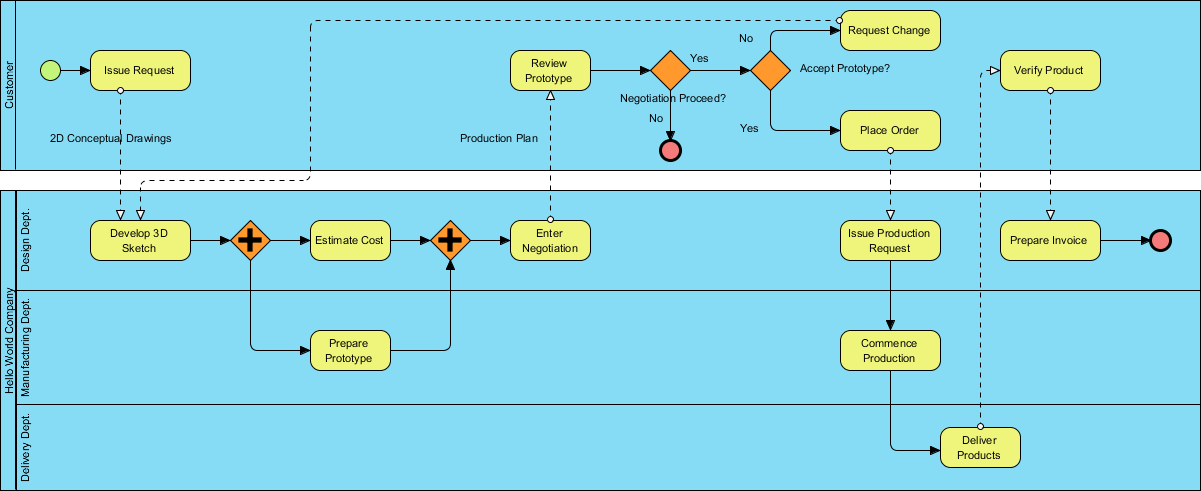
Business analysts can utilize Flowcharts (including Decision Trees), BPMN 2.0 Process Flows, and Event-Driven Process Chains (EPC). These standards facilitate clear communication of operational procedures and organizational logic.
Data & System Architecture
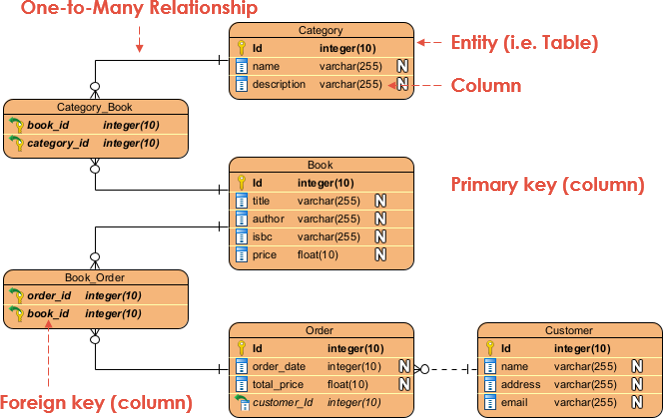
Data modeling is supported through Entity-Relationship Diagrams (ERDs) and multiple Data Flow Diagram (DFD) variants, specifically Yourdon DeMarco, Yourdon & Coad, and Gane-Sarson notations. This flexibility allows teams to adhere to specific legacy or modern data documentation standards.
Project Management & Planning
Project managers have access to PERT Charts, Gantt Timelines, Work Breakdown Structure (WBS) Charts, and Organizational Charts. These tools integrate planning visuals directly alongside project requirements and status reports.

Ideation & Network Infrastructure
For brainstorming and infrastructure planning, the editor supports Mind Maps, Tree Diagrams, Concept Maps, and Network Architecture Diagrams. This category bridges the gap between early-stage ideation and technical implementation.
How Direct Modes Operate
Visual Paradigm OpenDocs offers two distinct workflows for creating diagrams directly within the platform. Choosing the right mode depends on whether the visual is unique to a single page or requires reuse across the knowledge base.
Ad-Hoc Page Insertion
This workflow is designed for speed and specificity. When editing a page, users can select Insert > Diagrams to immediately embed a single-use diagram component directly onto the active screen. This is ideal for explanatory sketches, quick flowcharts, or illustrations that do not need to be referenced elsewhere. The diagram lives exclusively within that page’s context.
Component Pages
For standardized or frequently referenced visuals, the New Component Page workflow creates a centralized, standalone blueprint. Unlike ad-hoc insertions, component pages exist as independent entities that can be imported and referenced across multiple different pages throughout your documentation. If a system architecture diagram needs to appear in both a high-level overview and a detailed technical specification, creating it as a Component Page ensures that a single update propagates everywhere it is used.
Leveraging AI for Instant Generation
A defining feature of the OpenDocs integrated editor is the built-in AI translation engine. Instead of manually dragging and dropping shapes, users can generate diagrams instantly from text descriptions or existing documentation. This capability transforms the editor from a passive drawing tool into an active modeling assistant.
The AI engine understands technical syntax and domain-specific terminology, allowing it to produce accurate UML, BPMN, and ERD layouts from natural language prompts. This is particularly valuable for bootstrapping complex system architecture maps or converting legacy textual requirements into visual models. For highly customized technical maps, mastering AI prompt syntax can dramatically reduce the time from concept to visual artifact.
Conclusion
Visual Paradigm OpenDocs streamlines the documentation lifecycle by unifying text and visuals in a single, AI-enhanced environment. By supporting over 15 diagram types across UML, business, data, project management, and infrastructure domains, it serves as a versatile hub for cross-functional teams. Understanding the distinction between ad-hoc insertions and reusable component pages allows organizations to balance agility with governance. Combined with AI-powered generation, the integrated editor reduces the overhead of technical modeling, enabling teams to focus on clarity and accuracy rather than tool mechanics.
Relevant Articles and Resources
- Visual Paradigm OpenDocs: The Complete Guide to AI-Powered Knowledge Management: Comprehensive third-party review covering AI diagram generation and knowledge base integration features.
- OpenDocs Review: The AI-Powered Knowledge Platform That Transforms Team Documentation: Detailed evaluation of how OpenDocs streamlines team collaboration and visual documentation workflows.
- Sync AI Diagram to OpenDocs Pipeline Guide: Official release notes explaining the technical pipeline for synchronizing AI-generated diagrams with OpenDocs projects.
- From Concept to Knowledge Base: A Third-Party Review of Visual Paradigm’s OpenDocs Workflow: Step-by-step walkthrough of the end-to-end workflow from initial concept modeling to published knowledge base article.
- New in OpenDocs: AI-Powered Data Flow Diagram (DFD) Support: Feature announcement detailing AI assistance specifically for creating Yourdon, Coad, and Gane-Sarson DFD variants.
- AI Deployment Diagram Generator for OpenDocs: Technical guide on using AI to automatically generate UML deployment diagrams from system specifications.
- Visual Paradigm OpenDocs: Complete Guide to AI-Powered Knowledge Management: Industry-focused guide highlighting enterprise use cases for AI-driven diagramming and documentation.
Related posts:
 My First Week with OpenDocs’ AI ERD Generator: A Hands-On Review from a Database Developer
A Comprehensive Review of Visual Paradigm Pipeline’s Asset Transit Hub
From Diagrams to Documentation: OpenDocs’ AI-Powered DFD Generator and WordPress Integration
Beyond Static Docs: A Hands-On Review of Visual Paradigm OpenDocs as a Living Knowledge Engine
My First Week with OpenDocs’ AI ERD Generator: A Hands-On Review from a Database Developer
A Comprehensive Review of Visual Paradigm Pipeline’s Asset Transit Hub
From Diagrams to Documentation: OpenDocs’ AI-Powered DFD Generator and WordPress Integration
Beyond Static Docs: A Hands-On Review of Visual Paradigm OpenDocs as a Living Knowledge Engine