


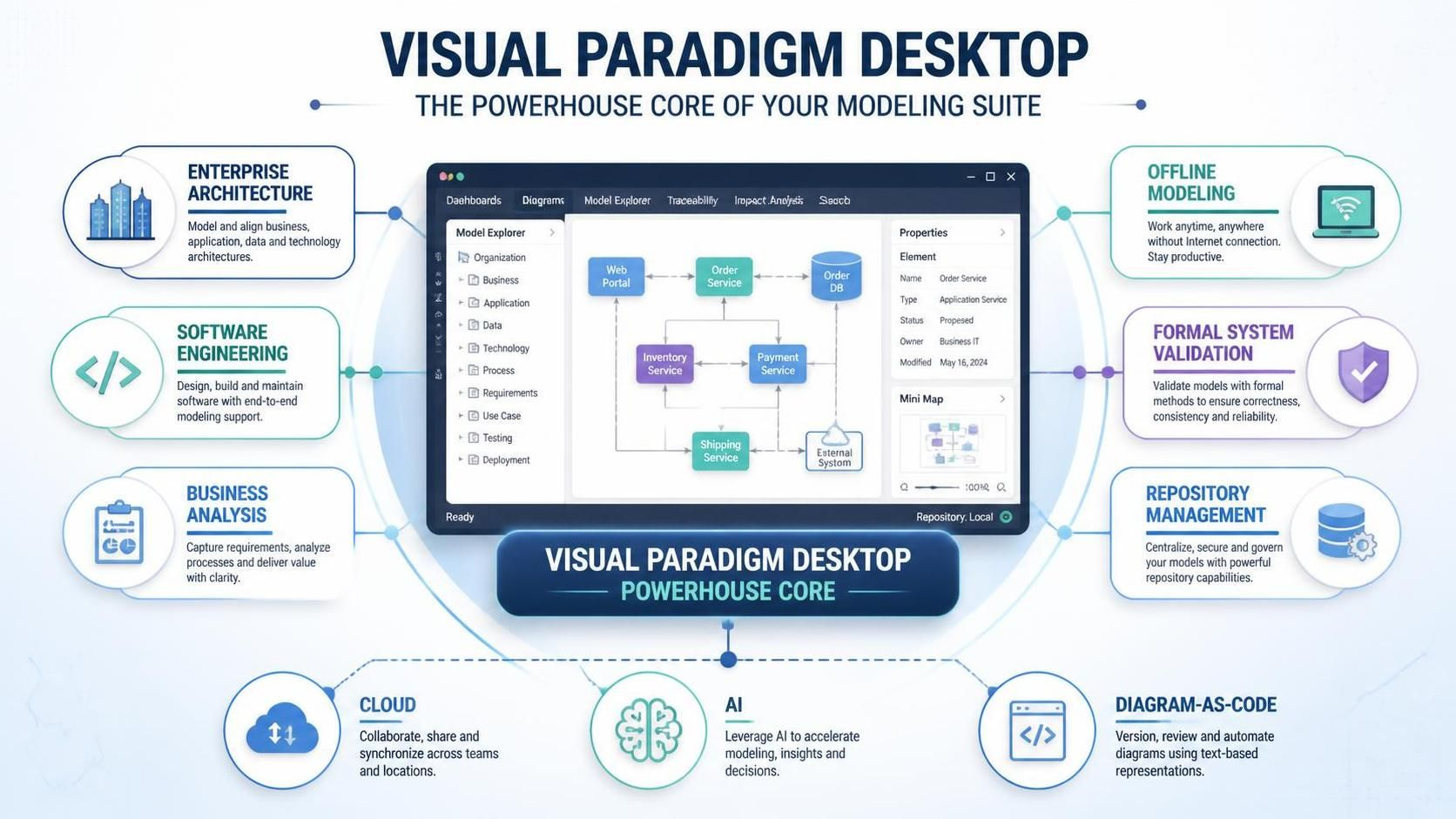
Visual Paradigm Desktop serves as the powerhouse core of the Visual Paradigm modeling suite. Engineered for enterprise architects, software engineers, and business analysts, it combines deep offline modeling, formal system validation, and robust repository management with the broader cloud, AI, and diagram-as-code ecosystem.
1. Core Desktop Product Features
A. Enterprise & Software Architecture Modeling
-
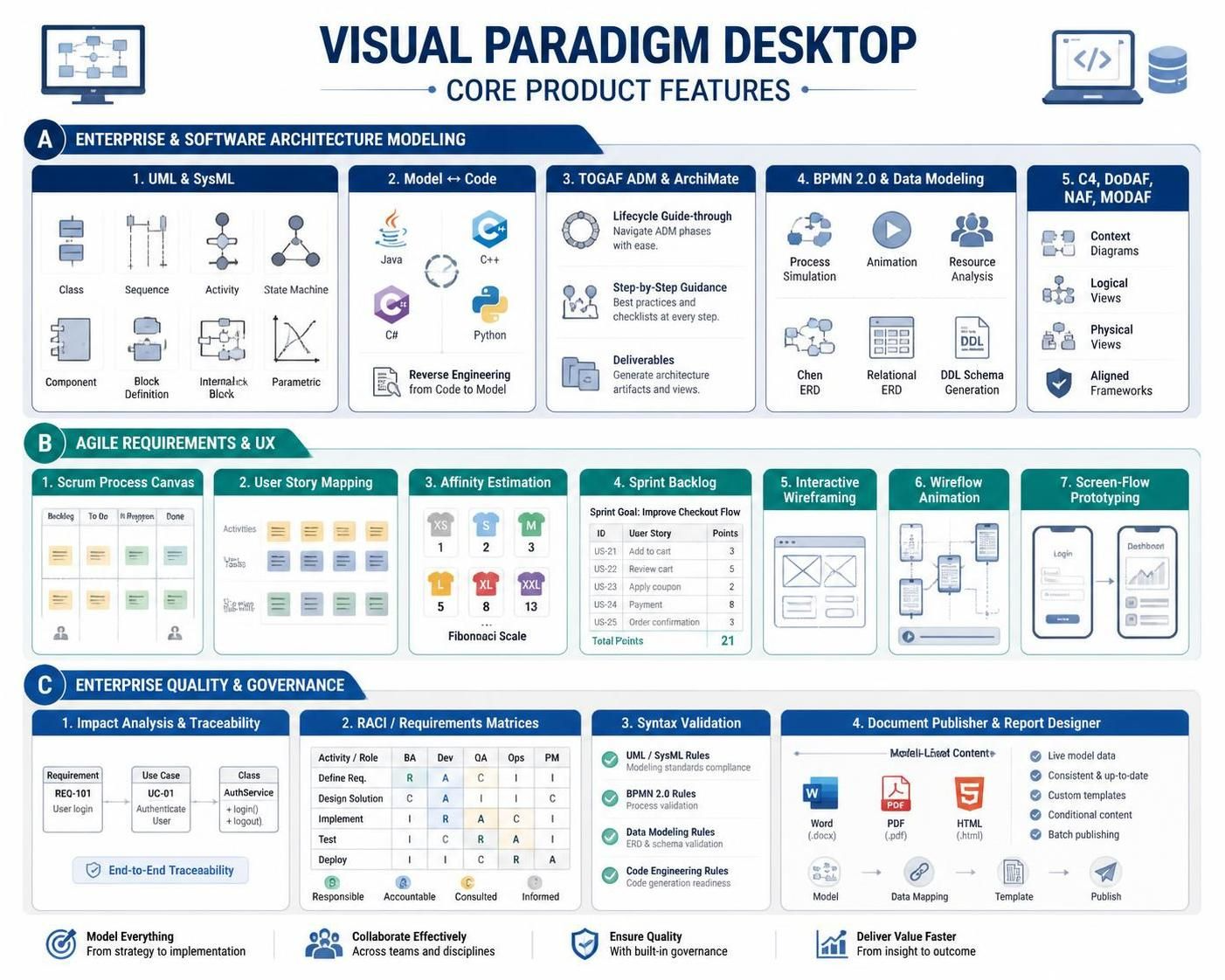
UML & SysML Modeling: Native support for all 14 UML 2.x diagram types (Class, Sequence, State Machine, Activity, Component, etc.) and SysML v1/v2 (Block Definition, Internal Block, Parametric diagrams). Features bidirectional model-to-code synchronization (Java, C++, C#, Python, etc.) and automated reverse engineering.
-
Enterprise Architecture (TOGAF 10 & ArchiMate 3.2/4): Fully integrated TOGAF ADM (Architecture Development Method) Lifecycle Guide-Through tool. It provides step-by-step guidance, deliverable auto-generation, and full structural modeling using ArchiMate.
-
Business Process & Data Modeling (BPMN 2.0 & DFD/ERD): Full support for BPMN 2.0 process simulation, animation, and resource execution analysis, alongside logical/physical Database Modeling (Chen ERD, Relational ERD) with DDL schema generation.
-
C4 Model & Structural Frameworks: Built-in support for C4 Model abstractions (Context, Container, Component, Code), DoDAF, NAF, and MODAF enterprise frameworks.
B. Agile Requirements & User Experience (UX)
-
Agile Event & Backlog Management: Built-in Scrum Process Canvas, User Story Mapping, Story Estimation (Affinity Table), and Sprint Backlog tracking.
-
UX Wireframing & Screen Flows: Interactive wireframing tools, wireflow animation, and screen flow state-transition prototyping to bridge customer journeys with backend technical specifications.
C. Enterprise Quality & Governance
-
Model Refactoring & Traceability: Impact analysis maps, matrix views (e.g., RACI, Requirements Traceability), and syntax validation rules ensuring end-to-end model integrity.
-
Document Publisher & Report Designer: Drag-and-drop custom document builder that pulls live model elements, diagrams, and metadata into standardized Word, PDF, or HTML deliverable reports.
2. Integration within the Visual Paradigm Ecosystem
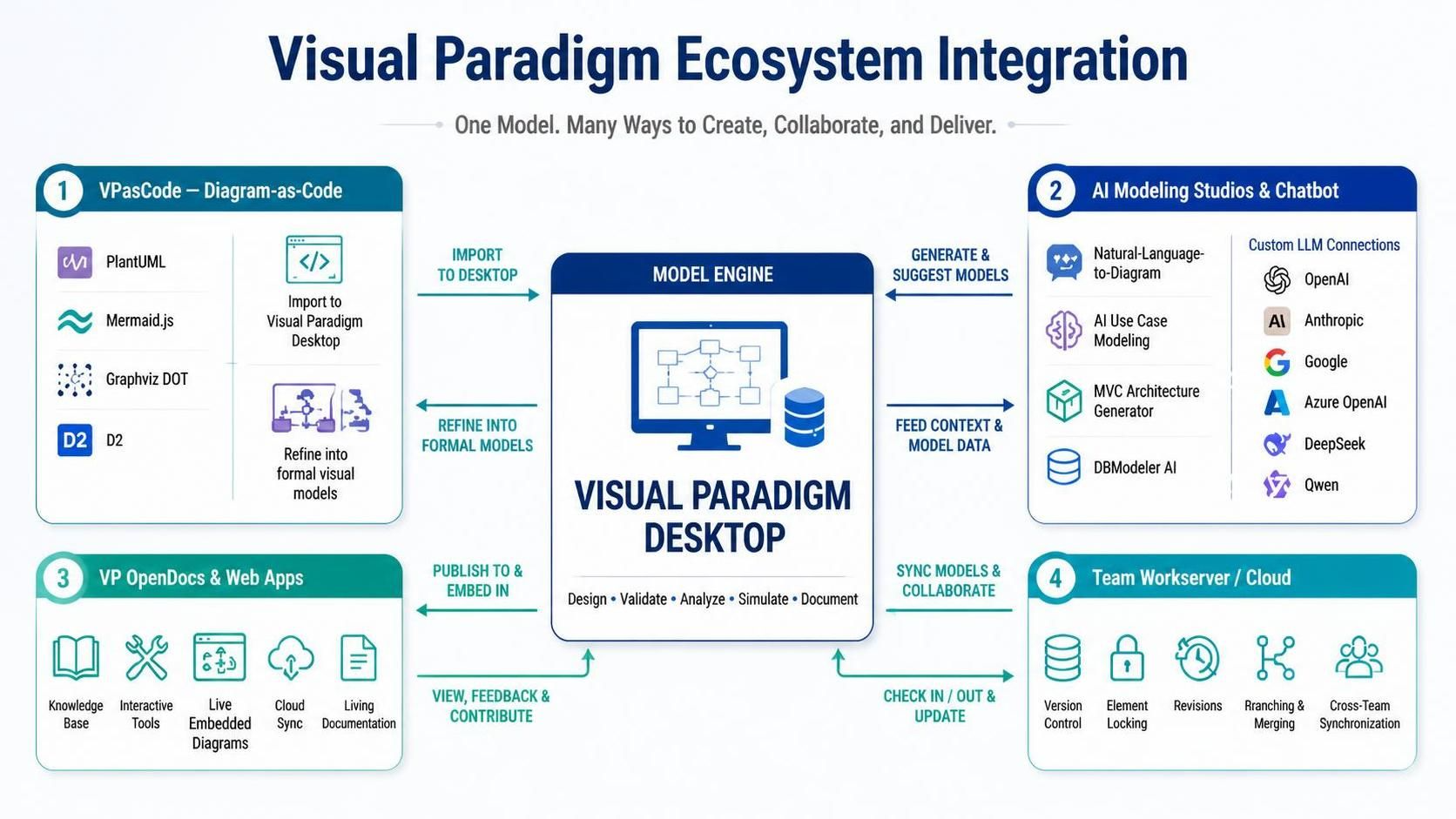
Visual Paradigm Desktop does not operate as an isolated tool; it acts as the central model engine in a multi-platform ecosystem spanning web apps, diagram-as-code tools, cloud repositories, and AI assistants.
A. VPasCode Integration (Diagram-as-Code to Formal Model)
-
Text-to-Model Pipeline: Declarative diagram scripts authored in VPasCode (using PlantUML, Mermaid.js, Graphviz DOT, or D2) can be imported directly into VP Desktop.
-
Hybrid Refinement: Rapid textual prototyping done in VPasCode transitions into formal, traceable visual model elements within VP Desktop.
B. AI-Powered Modeling Studios & Chatbot Co-Pilot
-
Generative Model Creation: VP Desktop seamlessly connects with VP’s specialized AI Studios (e.g., AI Use Case Modeling Studio, AI MVC Architecture Generator, DBModeler AI).
-
Natural Language to Diagrams: High-level text descriptions generated via the VP AI Chatbot or web tools can be converted into visual layouts and pushed directly to the Desktop canvas.
-
Custom Enterprise AI Endpoints: Desktop and ecosystem applications support custom LLM configurations (OpenAI, Anthropic, Google, Azure OpenAI, DeepSeek, Qwen), allowing teams to bring their own API keys and maintain enterprise data privacy.
C. VP OpenDocs & Cloud Knowledge Base
-
Live Diagram Embedding: Diagrams created in VP Desktop sync with VP Cloud/Online and can be embedded directly into OpenDocs or WordPress sites via interactive SVG/iframe containers.
-
Dynamic Knowledge Sharing: Diagrams in OpenDocs remain “living elements”. When model updates occur in VP Desktop, published documentation automatically reflects structural changes across the team knowledge hub.
D. Team Workserver & Collaboration
-
Multi-User Versioning: Integrates with Visual Paradigm Team Workserver (or cloud backend) for element-level locking, revision control, branching/merging, and real-time team collaboration across desktop and web clients.
-
External Toolchain Connectivity: Direct plug-ins for popular IDEs (Eclipse, IntelliJ IDEA, Visual Studio) and agile project management tools (Jira, Confluence) keep developer codebases and project backlogs aligned with enterprise architecture definitions.
