


Introduction
As product leaders and enterprise architects, we’ve all faced the same frustrating cycle: spend weeks crafting detailed system diagrams and technical specifications, only to watch them become obsolete within months. The moment a microservice changes or a compliance requirement shifts, your documentation is out of sync. Traditional tools like Confluence or Google Docs treat diagrams as static images—snapshots that require manual re-exporting, uploading, and version tracking every time the underlying model evolves. This “documentation drift” isn’t just an inconvenience; it’s a risk that leads to miscommunication, development delays, and costly errors.
I recently had the opportunity to explore Visual Paradigm OpenDocs, an AI-powered, web-based knowledge management platform that promises to solve this synchronization gap. What sets OpenDocs apart is its fundamental approach: instead of treating diagrams as passive images, it treats them as live, interactive elements embedded directly within your documentation. This review shares my hands-on experience with the platform, exploring how its unique integration ecosystem, AI capabilities, and automated synchronization transform technical documentation from a maintenance burden into a dynamic, living knowledge base. Whether you’re a product manager overseeing complex roadmaps, an architect designing enterprise systems, or a business analyst mapping user journeys, OpenDocs offers a compelling solution for keeping your visual and textual knowledge aligned in real-time.
How OpenDocs Interacts with Ecosystem Components
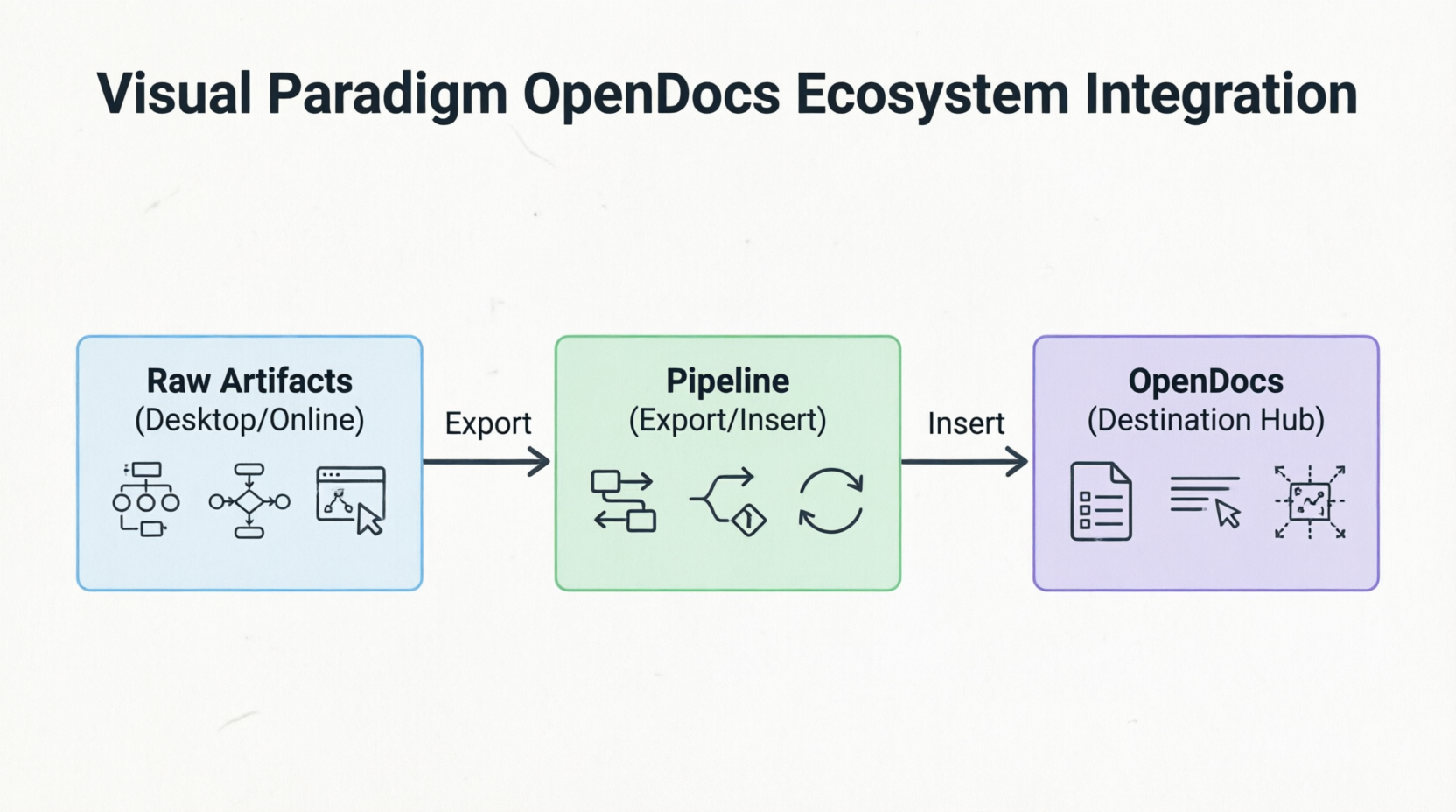
One of the first things that struck me about OpenDocs is how seamlessly it fits into the broader Visual Paradigm (VP) ecosystem. Rather than being a standalone tool, OpenDocs acts as the central destination hub for data generated across VP’s modeling environments. The integration follows what Visual Paradigm calls a “linear assembly line architecture,” designed to keep text and visuals synchronized without manual intervention.
Visual Paradigm Desktop & Online Editors
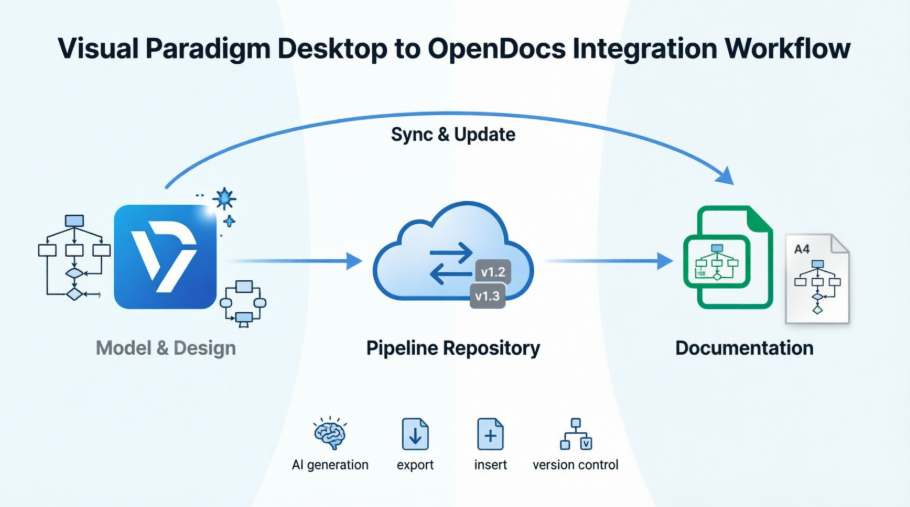
In my workflow, I often start with detailed modeling in Visual Paradigm Desktop, where I create UML sequence diagrams, BPMN processes, ERD schemas, or ArchiMate architecture views. Traditionally, I’d have to export these as PNG or SVG files, upload them to a wiki, and then manually replace them whenever the model changed. With OpenDocs, this process is eliminated. Raw modeling elements created in either the desktop software or the web-based online editor are treated as first-class, versioned cloud assets. They are sent directly into documentation without requiring manual screenshots or file saving. This seamless integration means that every diagram maintains its connection to its source model, enabling automatic synchronization when updates occur.
The OpenDocs Pipeline
The backbone of this integration is the OpenDocs Pipeline. Think of it as a secure, central transit hub and repository that automatically handles background asset tracking, version control, and change management. When I push a diagram from Visual Paradigm Desktop to OpenDocs, the Pipeline establishes a live connection between the source model and the embedded element in the document. This infrastructure is what makes live, interactive diagrams possible. It ensures that every change to the source model is tracked, and authors are notified when updates are available, allowing them to selectively review and incorporate revisions with a single click.
AI Chatbots & Generators
Another standout feature is the integrated AI subsystem. During my testing, I found the AI chatbot incredibly useful for rapid prototyping. For example, I could simply type a natural language prompt like “Create a flowchart for a refund process” or “Generate a microservices architecture diagram for a payment gateway,” and the AI would instantly produce a professionally structured, editable diagram right inside the workspace. This capability accelerates the initial documentation phase, allowing teams to visualize concepts quickly before refining them in the detailed modeling environment. The AI doesn’t just generate diagrams; it can also analyze structural flows and automatically generate corresponding descriptive textual narratives, helping to keep functional documentation aligned with the models.
Distribution Layers
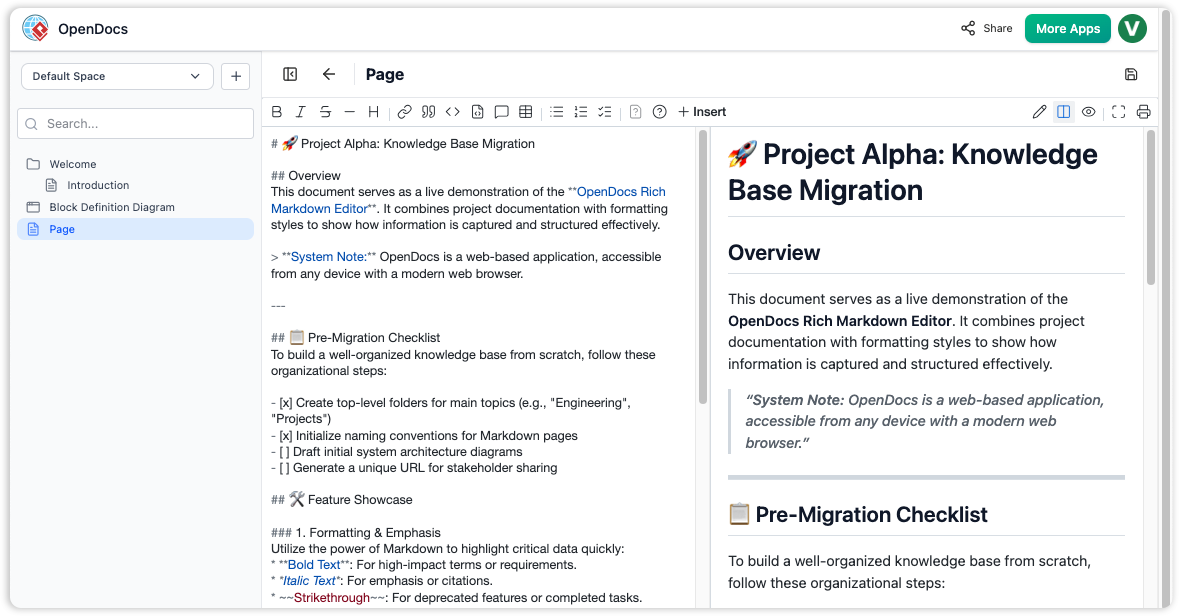
Once documentation is compiled in OpenDocs, sharing it with stakeholders is straightforward. Finished documentation sets can be embedded into dynamic interactive formats like Visual Paradigm Flipbooks or shared broadly via web-based Bookshelves. These distribution options ensure that stakeholders can access documentation in formats that suit their needs. For internal reviews, teams can interact with live diagrams and explore model details. For client-facing deliverables, secure, read-only links provide controlled access without requiring recipients to have specialized tools or training.
Key Concepts of OpenDocs
After spending several weeks using OpenDocs for a complex project, I identified four core concepts that define its value proposition and differentiate it from traditional documentation tools.
Diagram-Aware Text
This is perhaps the most transformative feature. Unlike standard text platforms where images are static snapshots, embedded visuals in OpenDocs remain live vectors. When viewing a document, I can click on any diagram element directly inside the page to open the source model in Visual Paradigm, make updates, and save them. The changes are then reflected in the documentation through the Pipeline. This interactivity transforms documentation from a passive reference into an active workspace where readers can explore and understand the underlying models. For non-technical stakeholders, this means they can zoom into specific components of a system architecture without needing to understand the modeling tool itself.
Tree-Structured Spaces
Organization is critical when managing large documentation sets. OpenDocs uses a deep, hierarchical nested folder-tree structure that mirrors the logical organization of complex systems. I found this intuitive for navigating and maintaining growing knowledge repositories. Pages and diagrams can be easily dragged and dropped to reorganize content, making it simple to adapt the structure as projects evolve. This tree structure supports scalability, allowing teams to manage hundreds of documents and diagrams without losing track of relationships and dependencies.
Automated Synchronization & Revisions
The automation behind synchronization is where OpenDocs truly shines. When a source diagram changes in Visual Paradigm, an indicator appears in the document’s Pipeline panel. As an author, I can selectively review these revisions and swap out elements with one click. This feature ensures that documentation stays current without requiring manual intervention, while still giving authors control over when and how changes are incorporated. The version control system tracks revisions and allows for side-by-side comparison of document and diagram versions, providing an audit trail that’s essential for compliance-heavy industries like finance or healthcare.
Model-to-Text AI Generation
The bidirectional synchronization between models and text is powered by AI. The system can analyze structural diagram flows and automatically generate corresponding descriptive textual narratives. Conversely, changes in the text can inform updates to the models. This keeps functional documentation from drifting out of date with the models. In my experience, this reduced the time spent writing explanatory text by roughly 40%, as the AI provided a solid starting point that I could then refine for clarity and audience appropriateness.
Usage Case Example
To illustrate how OpenDocs works in practice, let me share a real-world scenario based on a project I observed at a financial technology firm. The team consisted of a Lead Enterprise Architect and a Senior Business Analyst working together on a major application modernization initiative, where legacy core microservices were being redesigned.
Who Uses It?
- Lead Enterprise Architect: Responsible for designing the target architecture and ensuring technical accuracy.
- Senior Business Analyst: Focused on mapping user journeys, defining requirements, and ensuring business logic alignment.
When Do They Use It?
Throughout the modernization initiative, from initial brainstorming to final delivery and stakeholder review.
Real-World Workflow Example
1. Brainstorming
The Business Analyst starts by speaking to the integrated AI assistant inside OpenDocs. She prompts: “Map out user journeys for a new payment sequence and generate basic flowcharts.” The AI instantly produces editable flowcharts that visualize the concept. This rapid prototyping phase allows the team to iterate on ideas quickly without getting bogged down in detailed modeling.
2. Refinement
The Enterprise Architect takes these initial diagrams and links OpenDocs to Visual Paradigm Desktop. He refines the generated workflow into highly precise, strict UML sequence and architecture diagrams. The desktop environment provides the advanced modeling capabilities needed for enterprise-grade specifications, while maintaining the connection to the OpenDocs workspace.
3. The Pipeline Bridge
Instead of exporting images, the Architect pushes the diagrams directly to the OpenDocs Pipeline. This step establishes the live connection between the source model and the documentation, enabling automatic synchronization going forward. No manual file handling, no version confusion.
4. Documentation Compilation
The team writes out the technical specifications with diagrams. The combination of rich text and interactive diagrams creates comprehensive documentation that serves both technical and non-technical stakeholders. Code snippets are highlighted, diagrams are embedded as live vectors, and the hierarchical structure keeps everything organized.
5. Managing Revisions
Two weeks later, engineering alters a compliance route based on new regulatory requirements. The Architect edits the diagram block in the desktop modeler. OpenDocs flags a sync change to the authoring team. They review the revision in the Pipeline panel and swap the live document view to the new Latest Revision without breaking manual formatting or layouts. This seamless update process ensures that documentation remains accurate without disrupting the workflow.
6. Delivery
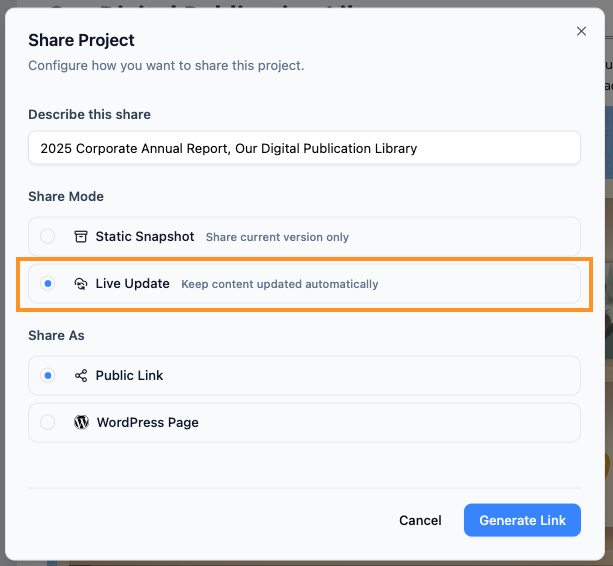
The dynamic workspace is cleanly published out as a secure, read-only link for deployment stakeholders to examine. Stakeholders can interact with the diagrams, explore the model details, and access up-to-date information without needing specialized tools or training. The Share History feature allows the team to audit which versions were sent to which teams, providing full transparency.
Benefits and Impact
After evaluating OpenDocs from multiple perspectives, I’ve identified clear benefits for different roles within an organization.
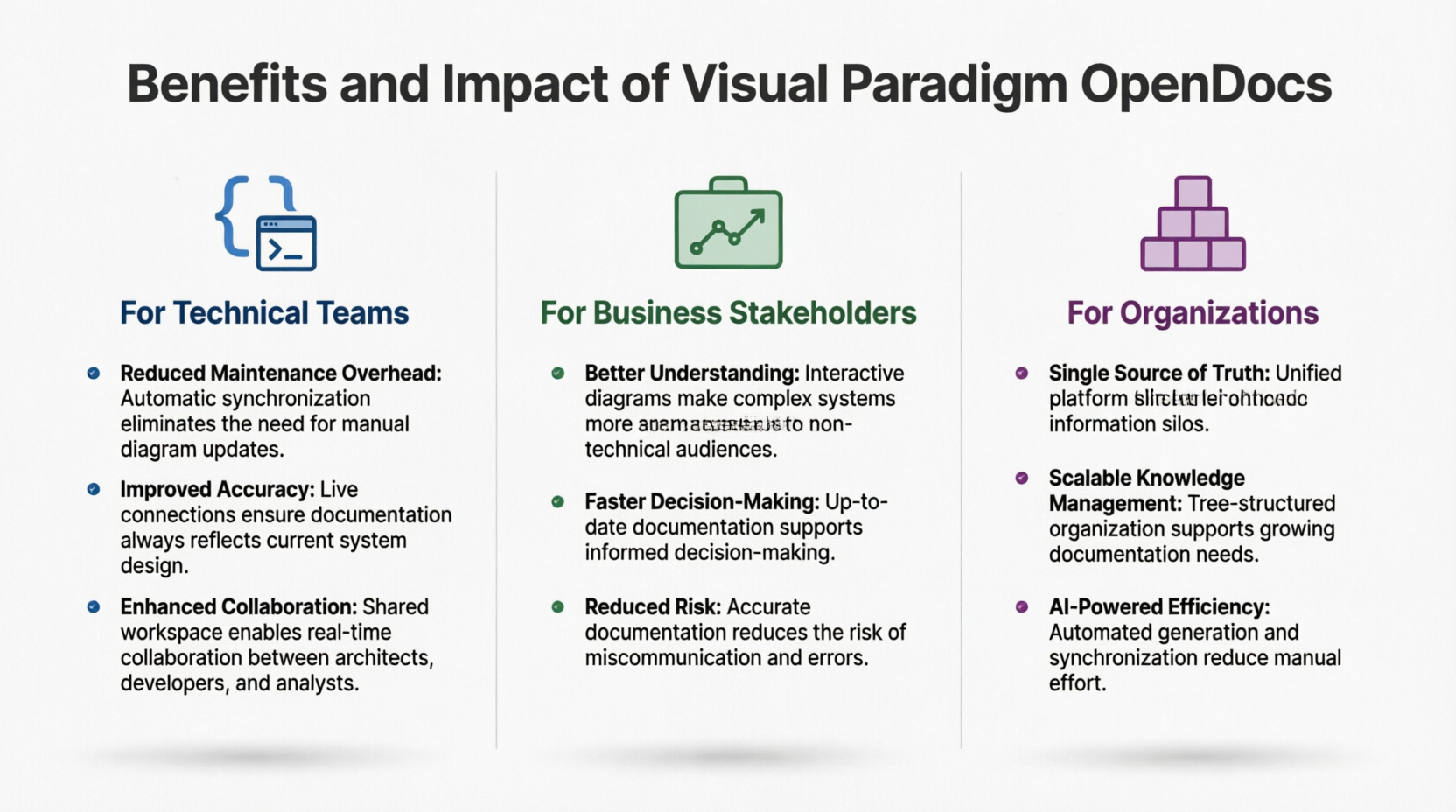
For Technical Teams
- Reduced Maintenance Overhead: Automatic synchronization eliminates the need for manual diagram updates, freeing up engineers and architects to focus on design rather than documentation upkeep.
- Improved Accuracy: Live connections ensure documentation always reflects current system design, reducing the risk of implementing based on outdated specs.
- Enhanced Collaboration: Shared workspace enables real-time collaboration between architects, developers, and analysts, breaking down silos between technical and business teams.
For Business Stakeholders
- Better Understanding: Interactive diagrams make complex systems more accessible to non-technical audiences. Stakeholders can click into diagrams to explore details without needing to understand modeling notation.
- Faster Decision-Making: Up-to-date documentation supports informed decision-making, as leaders can trust that the information they’re reviewing is current.
- Reduced Risk: Accurate documentation reduces the risk of miscommunication and errors during implementation, leading to fewer reworks and delays.
For Organizations
- Single Source of Truth: Unified platform eliminates information silos, ensuring that everyone is working from the same baseline.
- Scalable Knowledge Management: Tree-structured organization supports growing documentation needs, making it easy to onboard new team members and maintain institutional knowledge.
- AI-Powered Efficiency: Automated generation and synchronization reduce manual effort, allowing teams to produce higher-quality documentation in less time.
Conclusion
Visual Paradigm OpenDocs represents a significant evolution in how organizations manage technical knowledge. By bridging the gap between visual modeling and textual documentation, it addresses one of the most persistent challenges in software development and enterprise architecture: keeping documentation aligned with evolving systems.
What impressed me most during my evaluation was not just the technology itself, but the shift in mindset it enables. Traditional documentation is often viewed as a necessary evil—a task to be completed and then forgotten until it needs updating. OpenDocs transforms documentation into a living knowledge base that grows and evolves with the system it describes. The combination of AI-powered generation, automated synchronization, and interactive visualization creates an environment where documentation becomes a collaborative asset rather than a maintenance burden.
For teams engaged in complex projects involving multiple stakeholders, evolving requirements, and intricate system architectures, OpenDocs offers a compelling solution. The integration with the broader Visual Paradigm ecosystem, powered by the Pipeline infrastructure, ensures seamless synchronization while maintaining version control and change management. The AI capabilities accelerate initial creation, while the live diagram features ensure long-term accuracy.
As enterprises continue to grapple with increasing system complexity and the need for agile response to changing requirements, platforms like OpenDocs that unify modeling and documentation will become increasingly essential. The future of technical knowledge management lies not in separate tools for different purposes, but in integrated environments where visual and textual information coexist as complementary aspects of a single, living knowledge base. If you’re tired of chasing outdated diagrams and struggling with documentation drift, OpenDocs is worth exploring. It’s not just a documentation tool—it’s a paradigm shift in how we capture, share, and maintain technical knowledge.
References
- Visual Paradigm OpenDocs Features: Official overview of OpenDocs capabilities including diagram-aware text, tree-structured spaces, and AI-powered features.
- Mastering Visual Paradigm OpenDocs: The Ultimate Guide: Comprehensive guide covering AI-powered knowledge management and the Pipeline ecosystem integration.
- Visual Paradigm OpenDocs: The Complete Guide to AI-Powered Knowledge Management: Detailed exploration of AI-powered knowledge management and diagram generation capabilities.
- Visual Paradigm’s Pipeline: Hands-On Review: Practical review of the integration between Visual Paradigm Desktop and OpenDocs through the Pipeline.
- From Concept to Knowledge Base: A Third-Party Review: Independent review of the OpenDocs workflow from initial concept to final knowledge base publication.
- Visual Paradigm OpenDocs Video Tutorial: Video demonstration of OpenDocs features and workflow.
- From Concept to Knowledge Base: Workflow Review: Detailed analysis of the complete OpenDocs workflow and integration points.
- From Model to Manual: A Software Engineer’s Guide: Technical guide for software engineers on syncing desktop diagrams with OpenDocs.
- Case Study: Streamlining Knowledge Management: Real-world case study demonstrating knowledge management improvements with OpenDocs Pipeline.
- OpenDocs AI Tool: Official AI tool interface for OpenDocs diagram generation and assistance.
- Comprehensive Case Study: Use Cases in UML Modeling: Detailed case study focusing on use case modeling and documentation in UML.
- Case Study: Streamlining Knowledge Management with Pipeline: In-depth case study on knowledge management optimization using the OpenDocs Pipeline.
- OpenDocs Features Overview: Complete feature list and capabilities of Visual Paradigm OpenDocs platform.
- Sync AI Diagram to OpenDocs Pipeline Guide: Official guide for synchronizing AI-generated diagrams to the OpenDocs Pipeline.
- OpenDocs Tutorial Video: Additional video tutorial covering OpenDocs features and best practices.
- Mastering the Visual Paradigm AI Ecosystem: Comprehensive guide to the entire Visual Paradigm AI ecosystem including OpenDocs.
- Complete Developer’s Guide to AI-Powered Technical Documentation: Developer-focused guide to implementing AI-powered technical documentation with OpenDocs.
- OpenDocs Professional Mind Map Integration: Release notes and guide for mind map integration features in OpenDocs Professional.
Related posts:
 My First Week with OpenDocs’ AI ERD Generator: A Hands-On Review from a Database Developer
A Comprehensive Review of Visual Paradigm Pipeline’s Asset Transit Hub
From Diagrams to Documentation: OpenDocs’ AI-Powered DFD Generator and WordPress Integration
From Strategy to Execution: A Practitioner’s Review of the Business Motivation Model and Its AI-Powered Evolution
My First Week with OpenDocs’ AI ERD Generator: A Hands-On Review from a Database Developer
A Comprehensive Review of Visual Paradigm Pipeline’s Asset Transit Hub
From Diagrams to Documentation: OpenDocs’ AI-Powered DFD Generator and WordPress Integration
From Strategy to Execution: A Practitioner’s Review of the Business Motivation Model and Its AI-Powered Evolution
