In any agile or iterative development environment, the quality of the final product is directly linked to the clarity of the requirements. User stories serve as the fundamental unit of value delivery. They act as the bridge between stakeholder expectations and engineering execution. However, a story card that is vague or inconsistent creates friction. It leads to ambiguity during development, misalignment in testing, and delays in delivery.
Consistency in story card creation is not merely about following a template. It is about establishing a shared language and a predictable workflow. When every team member understands the structure and the intent of a story, the cognitive load decreases. This allows the team to focus on solving problems rather than deciphering requirements. The following rules provide a framework for maintaining high standards across your backlog.
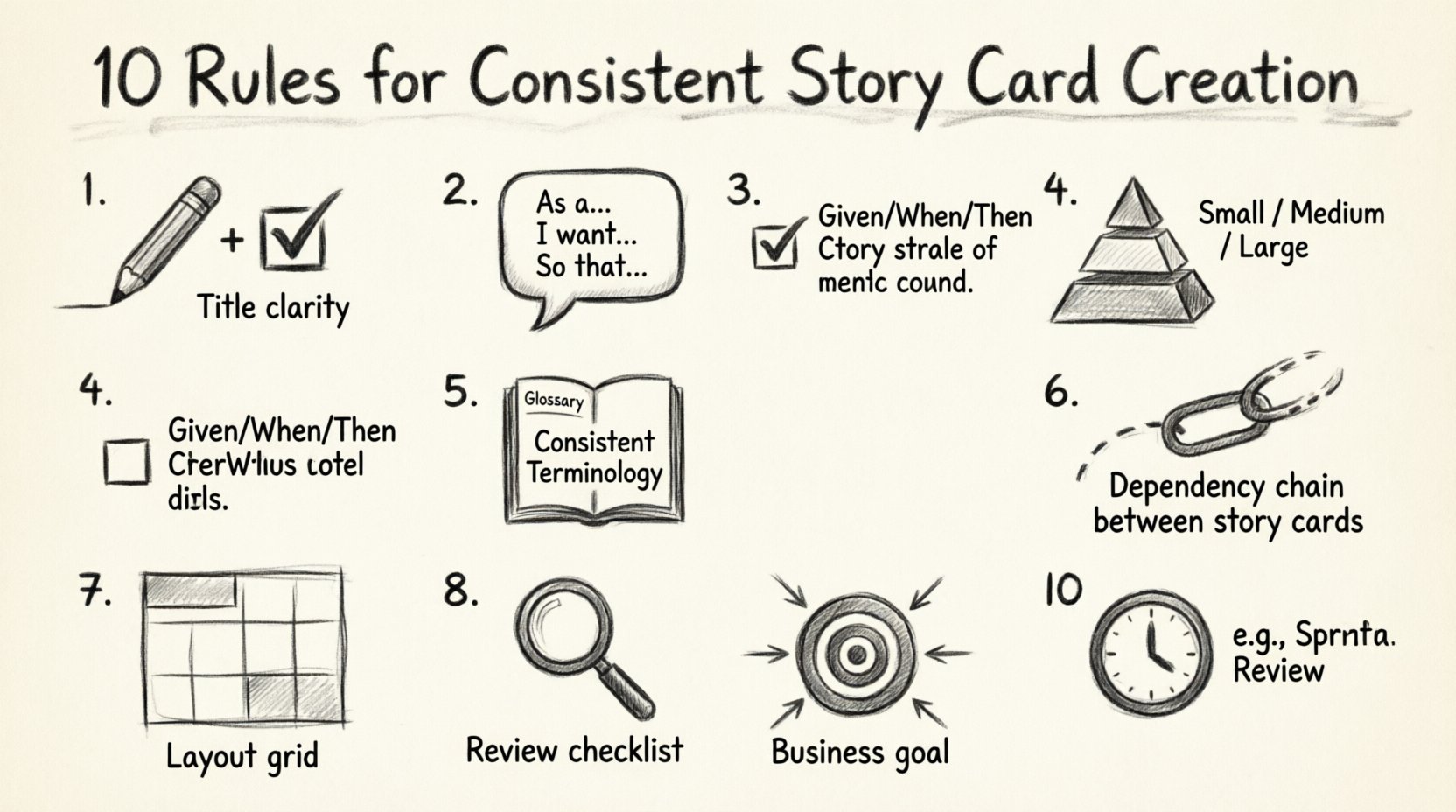
1️⃣ Rule One: Clarity and Conciseness in the Title
The title of a story card is the first point of contact. It must be descriptive yet brief. A good title tells you what the feature is without needing to read the entire description. Avoid technical jargon in the title. The title should be readable by a non-technical stakeholder.
- Focus on Value: The title should reflect the user value or the business goal.
- Keep it Short: Aim for fewer than 10 words if possible.
- Use Active Voice: Start with a verb or a clear subject.
Consider the difference between these two titles:
- Bad: “Fix bug in login module regarding session timeout”
- Good: “Enable persistent login sessions for returning users”
The first title sounds like a technical task. The second title describes the outcome for the user. Consistency here ensures that everyone scanning the backlog understands the scope immediately.
2️⃣ Rule Two: The User Story Format
To maintain consistency, every story card should adhere to the standard “As a… I want… So that…” format. This format forces the writer to consider the persona, the action, and the value. It prevents the team from building features without understanding the “why”.
- Persona (As a): Who is using this feature? Be specific about the role.
- Action (I want): What does the user need to do? Keep this functional.
- Value (So that): Why does this matter? Connect it to a business goal or user need.
Example of a consistent format:
As a registered shopper, I want to filter products by size, so that I can find items that fit me quickly.
When teams deviate from this, they often write tasks instead of stories. A task might say “Add filter API endpoint.” A story says “Filter products.” The story focuses on the user experience. The task focuses on the code. Consistency requires sticking to the story format for all work items intended for the product backlog.
3️⃣ Rule Three: Detailed Acceptance Criteria
Acceptance criteria define the boundaries of the story. They are the conditions that must be met for the story to be considered complete. Without these, testing becomes subjective. Different testers might interpret the requirements differently, leading to inconsistent quality.
- Use Gherkin Syntax: Where possible, use Given/When/Then steps.
- Be Specific: Avoid words like “fast,” “easy,” or “secure.” Use numbers or specific states.
- Cover Edge Cases: Include scenarios for errors or empty states.
Here is an example of robust acceptance criteria:
- Given the user is on the product page, When they select a size, Then the available inventory count updates immediately.
- Given the user has no items in the cart, When they attempt to checkout, Then they are redirected to the cart page with a message.
- Given the user enters an invalid email, When they submit the form, Then an error message appears below the field.
This level of detail removes ambiguity. It allows the developer to write automated tests and the tester to verify the behavior systematically.
4️⃣ Rule Four: Size and Estimation Guidelines
Consistency in sizing helps in capacity planning. If some stories are tiny and others are massive, sprint planning becomes unpredictable. A common rule is to ensure no single story card exceeds a certain threshold of effort. This often aligns with the INVEST model, specifically the “Small” criterion.
If a story is too large, it should be split. Splitting criteria include:
- By User Role: Different permissions for admin vs. guest.
- By Workflow: Happy path vs. error handling.
- By Data State: Empty state vs. populated state.
- By Priority: Core functionality vs. nice-to-have features.
| Story Size | Characteristics | Action Required |
|---|---|---|
| Small | Can be completed in 1-2 days. | Ready for development. |
| Medium | Requires 3-5 days of effort. | May need splitting or more analysis. |
| Large (Epic) | Requires multiple sprints. | Must be broken down into smaller stories. |
Enforcing these size rules ensures that the team maintains a steady velocity. It prevents the bottleneck of a single massive story blocking the release of value.
5️⃣ Rule Five: Consistent Terminology and Vocabulary
Using different words for the same concept creates confusion. If one team member calls it a “Cart” and another calls it a “Basket,” the database schema and the UI labels may become inconsistent. A glossary or a set of agreed-upon terms is essential.
- Define Key Terms: Establish a central document for domain language.
- Review Before Writing: Check existing cards to match terminology.
- Use Standard Labels: Stick to the naming convention used in the codebase where possible.
This rule extends to status labels as well. Use consistent terms for states like “In Progress,” “Ready for Review,” and “Done.” Avoid mixing “To Do,” “Open,” and “New” for the same state. Consistency in vocabulary reduces the time spent searching for information and clarifies communication.
6️⃣ Rule Six: Handling Dependencies
Stories rarely exist in a vacuum. Dependencies can block progress. A consistent approach to documenting these dependencies is crucial for risk management. Every story card should explicitly state if it relies on another story or an external system.
- Explicit Links: Use the linking feature in the system to connect related stories.
- Blockers: Clearly mark if a story cannot start until another is finished.
- External Systems: Note if a third-party API or service is required.
Example of a dependency note:
Dependency: This story relies on Story #102 (Payment Gateway Integration). Do not start until #102 is in “Done” status.
This transparency allows project managers to visualize the critical path. It prevents developers from starting work that cannot be completed due to missing upstream features.
7️⃣ Rule Seven: Visual Consistency and Formatting
The look and feel of the story card matter for readability. While the content is king, the presentation helps the brain process information quickly. Use bolding for emphasis, bullet points for lists, and headers for sections.
- Standard Sections: Always use headers like “Context,” “Requirements,” and “Notes” if applicable.
- Code Snippets: Use code blocks for technical data or API responses.
- Attachments: Link mockups or diagrams rather than embedding large images that slow down loading.
A clean layout reduces cognitive fatigue. When a team member opens a card, they should be able to scan it and understand the structure within seconds. This visual discipline supports the cognitive discipline required for complex problem solving.
8️⃣ Rule Eight: Review and Refinement Process
Creation is not the end of the process. Stories require review before they enter the development cycle. This step, often called “Refinement” or “Grooming,” ensures that the quality rules are actually met.
A checklist for review includes:
- Is the “As a / I want / So that” format present?
- Are the acceptance criteria testable?
- Is the story small enough for a sprint?
- Are all dependencies identified?
- Is the terminology consistent with existing cards?
| Checklist Item | Pass Criteria | Fail Action |
|---|---|---|
| Format | Follows standard template | Return to writer for edit |
| Criteria | All scenarios covered | Add missing test cases |
| Size | Within sprint capacity | Split into smaller cards |
| Dependencies | None or documented | Identify blocker source |
Implementing a formal review gate ensures that the backlog remains clean. It prevents the “garbage in, garbage out” scenario where poor requirements lead to poor software.
9️⃣ Rule Nine: Linking to Business Goals
Every story should trace back to a larger objective. This ensures that the team is building the right product, not just building the product right. Linking stories to epics or initiatives provides context.
- Traceability: Ensure every story is linked to an Epic or Initiative.
- Value Proposition: Revisit the “So that” part during review to ensure it still aligns with business goals.
- Prioritization: Use the link to justify why a story is high priority.
When a story is tied to a business goal, it is easier to cut or defer if resources become scarce. It provides a clear rationale for decision-making. This alignment keeps the team focused on value delivery rather than just task completion.
🔟 Rule Ten: Regular Audits and Maintenance
Consistency degrades over time. Processes drift, and new team members may introduce variations. Regular audits of the backlog help maintain the standard.
- Quarterly Reviews: Schedule time to scan the backlog for formatting inconsistencies.
- Feedback Loop: Allow developers and testers to flag unclear stories.
- Update Guidelines: Evolve the rules as the team matures or new tools are adopted.
This proactive approach prevents technical debt in the documentation itself. A well-maintained backlog is a strategic asset that accelerates delivery over time.
Final Considerations for Success
Adopting these rules requires discipline. It may slow down the initial writing process. However, the time saved during development, testing, and maintenance far outweighs the initial investment. Consistency creates a rhythm. It allows the team to operate at a higher level of efficiency.
By treating story card creation as a craft, the team elevates the quality of the entire product lifecycle. The focus shifts from managing chaos to managing flow. This stability is the foundation of sustainable development practices. Stick to the rules, review the work, and continuously improve the process.
Remember, the goal is not perfection in every card. The goal is predictability. When the team knows what to expect from a story card, they can plan better, estimate more accurately, and deliver with confidence. This is the true value of consistent story card creation.