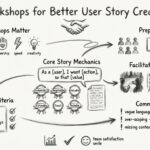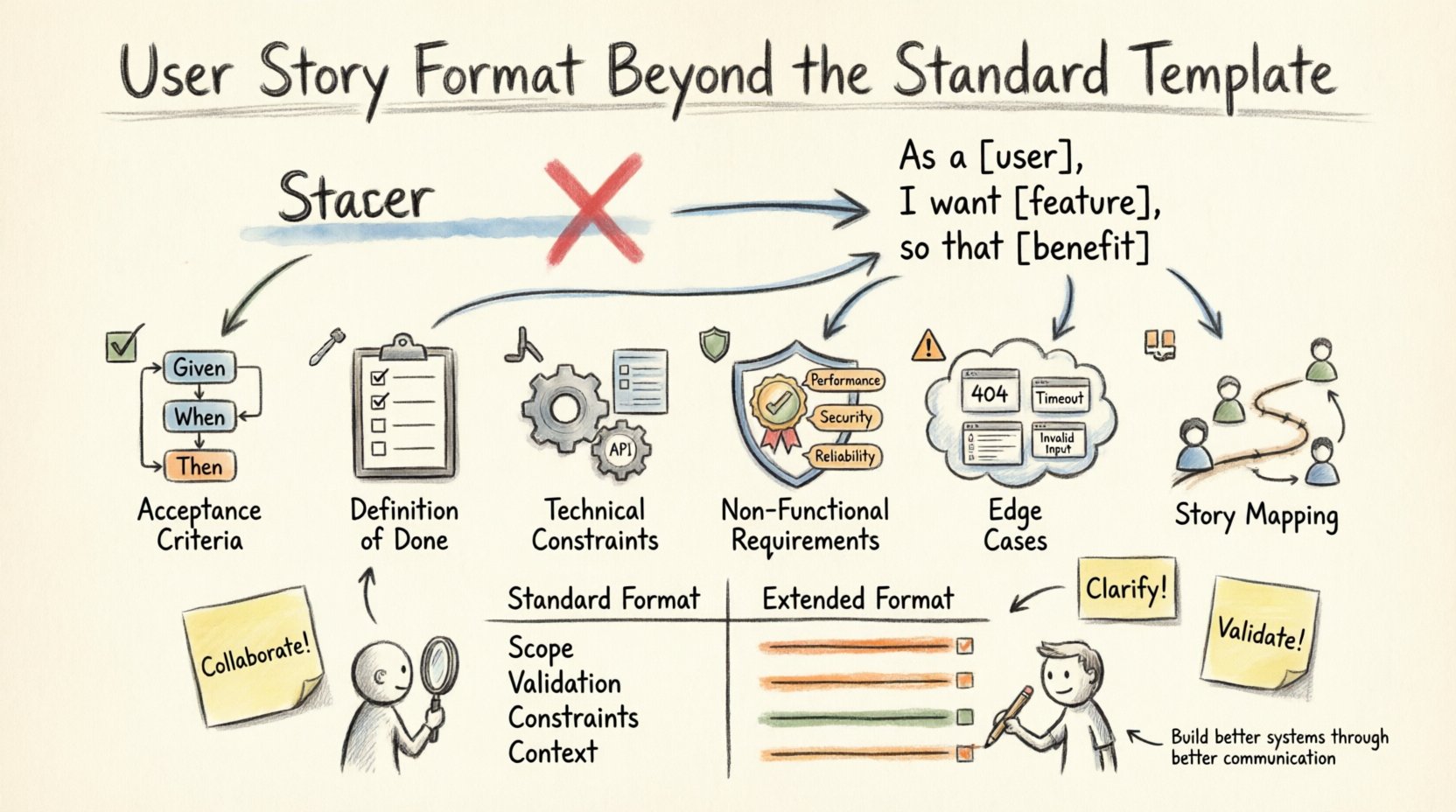
In the landscape of product development, the user story serves as the fundamental unit of work. It bridges the gap between business value and technical implementation. For years, the industry has relied on a specific structure: As a [user], I want [feature], so that [benefit]. While this template provides a solid foundation for communication, it often proves insufficient for complex projects or intricate systems. Relying solely on this three-part sentence can lead to ambiguity, missed edge cases, and friction between teams.
To achieve high-quality delivery, teams must expand their approach. This article explores how to evolve the user story format beyond the standard template. We will examine acceptance criteria, technical constraints, non-functional requirements, and the importance of context. By adopting a more comprehensive structure, you ensure that every piece of work is understood, testable, and aligned with the broader product vision.
📉 Why the Standard Template Falls Short
The classic template was designed to prompt conversation. It forces the author to identify the persona, the action, and the value. However, in practice, it often becomes a checkbox exercise. When a story is written only in this format, several risks emerge:
- Insufficient Detail: The “So That” clause is often vague, such as “to improve efficiency.” Without specific metrics, success is subjective.
- Missing Edge Cases: The happy path is rarely the only path. Standard formats rarely account for error states or system failures.
- Technical Blindspots: Developers often discover architectural constraints too late when the story lacks technical context.
- Testing Gaps: QA teams struggle to derive test cases from a single sentence, leading to manual verification delays.
Effective work items require more than just a description of intent. They require a specification of boundaries, constraints, and quality standards. Moving beyond the standard template does not mean discarding it; it means building upon it with necessary layers of detail.
✅ Defining Clear Acceptance Criteria
Acceptance criteria are the conditions that must be met for a story to be considered complete. They act as the contract between the product owner and the development team. A robust format moves beyond simple statements and incorporates specific logic.
1. Using Structured Logic
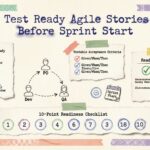
Instead of generic sentences, use structured formats like Given-When-Then. This approach is particularly useful for behavioral specifications.
- Given: Establish the initial context or state of the system.
- When: Define the specific action taken by the user or system.
- Then: Describe the observable outcome.
This structure reduces ambiguity. For example, consider a login feature. A standard format might say, “As a user, I want to log in, so that I can access my dashboard.” An expanded format includes:
- Given the user has a valid account
- When they enter correct credentials and submit the form
- Then the system redirects them to the dashboard and displays a success message
- When they enter incorrect credentials
- Then the system displays an error message and does not redirect
2. Quantifiable Metrics
Acceptance criteria should be measurable whenever possible. Avoid words like “fast,” “better,” or “easy.” Replace them with data points.
- Bad: The page should load quickly.
- Good: The page must load within 2 seconds on a standard 4G connection.
- Bad: The search should be accurate.
- Good: The search results must include the top 10 matches for the query within 500 milliseconds.
🛠️ Integrating the Definition of Done
While acceptance criteria define what the story achieves, the Definition of Done (DoD) defines how it must be delivered. The DoD is a shared list of criteria that applies to every story, regardless of its specific content. Including DoD references within the story format ensures consistency across the backlog.
When expanding the user story format, explicitly reference the applicable DoD items. This prevents developers from assuming that “code written” equals “code ready.”
- Code Review: Has the code been reviewed by a peer?
- Testing: Are unit tests and integration tests passing?
- Documentation: Is the technical documentation updated?
- Accessibility: Does the feature meet WCAG 2.1 standards?
- Performance: Has the feature been load tested?
By embedding these requirements into the story, you shift the quality mindset from post-development checking to integrated development.
🔧 Technical Constraints and Architecture
One of the most significant gaps in standard templates is the lack of technical context. Developers need to know the boundaries within which they must build. This section of the expanded format covers technical dependencies and architectural rules.
1. Data and State Management
Stories should specify how data flows. Are we reading from a cache? Are we writing to a specific database? Is there a need for data migration?
- Source of Truth: Identify the primary data source for the feature.
- Caching Strategy: Define if and how data should be cached (e.g., local storage, CDN, in-memory).
- State Persistence: Clarify if data needs to be saved locally or only on the server.
2. Dependencies and Integrations
Most features do not exist in a vacuum. They rely on other systems or services. Explicitly listing these dependencies prevents bottlenecks.
- External APIs: List the specific endpoints and authentication methods required.
- Internal Services: Identify which internal microservices are involved.
- Third-Party Tools: Note any libraries or SDKs that must be integrated.
3. Constraints and Limitations
Transparency about limitations helps manage expectations. If a feature cannot support a certain browser or device, state it clearly.
- Browser Support: Specify minimum versions required.
- Device Support: Define mobile, tablet, or desktop requirements.
- Offline Capability: State whether the feature works without an internet connection.
🛡️ Non-Functional Requirements (NFRs)
Functional requirements describe what the system does. Non-functional requirements (NFRs) describe how the system performs. These are often overlooked in standard templates but are critical for system stability and user satisfaction.
1. Performance
Performance requirements vary by feature. A background job has different needs than a real-time chat interface.
- Latency: Maximum acceptable response time.
- Throughput: Number of requests the system must handle per second.
- Scalability: How the system behaves under increased load.
2. Security
Security cannot be an afterthought. Every story involving data handling must address security NFRs.
- Authentication: How is user identity verified?
- Authorization: What permissions are required to access the feature?
- Data Privacy: Does the feature handle PII (Personally Identifiable Information)?
- Encryption: Is data encrypted in transit and at rest?
3. Reliability and Availability
What happens when things go wrong? Reliability NFRs define the system’s resilience.
- Uptime: Expected availability percentage.
- Error Handling: How are failures communicated to the user?
- Recovery: How quickly can the system recover from a crash?
⚠️ Handling Edge Cases and Error States
Users rarely interact with software under ideal conditions. They encounter slow networks, invalid inputs, and system errors. A comprehensive story format must account for these scenarios.
1. Input Validation
Define what inputs are acceptable and what happens when they are not.
- Required Fields: What must be filled out?
- Format Rules: Are there specific formats for dates, emails, or numbers?
- Length Limits: What are the minimum and maximum character counts?
2. System Failures
Network timeouts, server errors, and database outages occur. The story must specify the user-facing response.
- Timeouts: What is the user told if the server takes too long?
- 500 Errors: How is a generic server error handled?
- Partial Failures: How does the system behave if only some data loads?
3. Empty States
What does the user see when there is no data? This is often where confusion arises.
- Empty Lists: Show a friendly message or illustration.
- No Search Results: Provide suggestions or filters.
- Initial Setup: Guide the user to create their first item.
🗺️ Story Mapping and User Journey Context
A single user story is a slice of the larger user journey. Connecting the story to the broader map helps teams understand the priority and flow. This context is vital for maintaining a coherent product experience.
1. Mapping to the Backbone
Place the story within the horizontal flow of the user journey. This ensures that features are built in a logical sequence.
- Activities: What major steps does the user take?
- Tasks: What specific actions make up the activity?
- Stories: The specific work items that complete the tasks.
2. Identifying Dependencies
Stories often depend on previous work. Visualizing these dependencies prevents blocking.
- Vertical Slices: Ensure each story delivers value end-to-end.
- Horizontal Dependencies: Identify if a story relies on a backend service not yet built.
- Sequential Logic: Ensure the story follows the natural progression of the user journey.
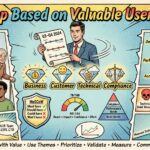
3. Prioritization Context
Why is this story being built now? Contextualizing the priority helps the team align on goals.
- Business Value: How does this drive revenue or retention?
- Risk Mitigation: Does this reduce technical or operational risk?
- Compliance: Is this required by regulation?
🤝 Collaboration and Refinement Practices
The format of the story influences how teams collaborate. A well-structured story facilitates better discussions during refinement and sprint planning. It reduces the need for back-and-forth clarification.
1. Visual Aids
Text alone is rarely enough. Use diagrams, mockups, or flowcharts to supplement the text.
- Wireframes: Show the layout and placement of elements.
- Flowcharts: Illustrate the logic paths and decision trees.
- Mockups: Provide high-fidelity designs for visual confirmation.
2. Comments and Attachments
Use the attached documentation space for detailed specifications. Keep the main story concise and link to deeper dives.
- Technical Specs: Link to architecture diagrams or API docs.
- Design Assets: Link to style guides or component libraries.
- Research: Link to user research or analytics data.
3. Review Cycles
Stories should undergo multiple levels of review before development begins.
- Product Review: Ensure the value proposition is clear.
- Technical Review: Ensure the approach is feasible.
- QA Review: Ensure the criteria are testable.
- Design Review: Ensure the UI matches the brand standards.
📊 Comparison: Standard vs. Extended Format
To summarize the differences, consider the following comparison table. This illustrates the depth added by the expanded format.
| Element | Standard Template | Extended Format |
|---|---|---|
| Persona | “As a User” | “As a Premium Subscriber with specific constraints” |
| Goal | “I want to filter results” | “I want to filter by date range and category” |
| Benefit | “So that I find data” | “So that I can generate a monthly report in under 5 seconds” |
| Criteria | None | Given-When-Then scenarios with specific data |
| Constraints | None | API limits, browser versions, data retention policies |
| Testing | Implicit | Explicit test cases and edge cases defined |
| DoD | Implicit | Explicit reference to Definition of Done items |
🔍 Conclusion
Adopting an extended user story format is a strategic investment in clarity and efficiency. It moves the team from guessing requirements to understanding them. By incorporating acceptance criteria, technical constraints, NFRs, and edge cases, you create a robust specification that guides development from start to finish.
This approach reduces rework, minimizes ambiguity, and ensures that the final product meets the needs of both the user and the business. It empowers developers to make informed decisions and allows testers to verify quality systematically. Ultimately, the goal is not just to write better tickets, but to build better systems through better communication.
Start by integrating one new element at a time. Add acceptance criteria to your next story. Then, include technical constraints. Gradually build a comprehensive format that fits your team’s workflow. The result will be a more predictable delivery process and a higher quality output.