
Mastering Architecture: Choosing Between Visual Paradigm Desktop and VP Online
In the rapidly evolving landscape of software development, effective communication is no longer a luxury—it is a necessity. To bridge the gap between technical complexity and business clarity, modern teams are adopting structured approaches like the C4 model, powered by intelligent tools like Visual Paradigm. However, with the rise of AI-driven workflows, a critical question arises: should you choose the robust power of Visual Paradigm Desktop or the agile flexibility of Visual Paradigm Online?
This tutorial explores the system architecture behind these two platforms, helping you select the right tool for your specific modeling needs, whether you are an Enterprise Architect managing a full lifecycle or a Product Manager needing a quick prototype.
The Architecture of the C4 Model
Before selecting a tool, it is essential to understand the methodology driving the diagrams. The C4 model is a hierarchical approach to software architecture visualization, designed to help teams communicate the structure of their system at different levels of abstraction.
- Level 1: Context Diagram (System Landscape) – Shows the system in scope and its relationships with users and other systems.
- Level 2: Container Diagram – Illustrates the high-level technology stack and how data flows between containers (e.g., Web App, Mobile App, Database).
- Level 3: Component Diagram – Breaks down a single container into its internal components and their interactions.
- Level 4: Code Diagram – The lowest level, showing classes and methods (often generated automatically).
Visual Paradigm supports the entire lifecycle of these diagrams, but the workflow differs significantly between the Desktop and Online environments.
Visual Paradigm Desktop: The Deep Modeling Engine
For organizations requiring deep analysis and offline reliability, Visual Paradigm Desktop serves as the heavy-lifting engine of the architecture stack.
Key Architectural Features
- Offline & Online Connectivity – Unlike purely cloud-based tools, the Desktop version allows you to model complex systems without an active internet connection. It syncs with cloud repositories only when available, ensuring data sovereignty and security for sensitive enterprise projects.
- Full Lifecycle Support – It supports the transition from abstract C4 models down to detailed Java, C#, or Python code generation. This “High Complexity” capability ensures that the diagram remains the source of truth throughout the development lifecycle.
- Version Control & Comments – For teams managing large codebases, the Desktop tool integrates with Git and SVN. It also features threaded comments, allowing for asynchronous feedback loops without the need for constant synchronization.
AI Integration Strategy
In the Desktop environment, AI is used as an AI-Assisted Generation tool. You can describe a component, and the AI will suggest the structure, but the architect retains full control over the final implementation and logic.
Visual Paradigm Online: The Agile Collaboration Hub
Visual Paradigm Online is built on a cloud-native architecture designed for speed, accessibility, and real-time collaboration. It is the preferred choice for agile teams and product managers who need to iterate quickly.
Key Architectural Features
- Cloud-Based Workflow – The application runs entirely in the browser, providing instant access from any device. This “Medium Complexity” environment focuses on streamlined workflows rather than deep configuration.
- Real-Time Co-Editing – Multiple stakeholders can work on the same diagram simultaneously. This is critical for workshops where requirements are being refined in real-time.
- AI-Driven C4 Generation – The Online tool leverages a Chatbot specifically trained for C4 models. Instead of just drawing boxes, you can prompt the AI to “Generate a Context Diagram for a Food Delivery App,” and it will automatically create the system, actors, and relationships.
Comparative Analysis: Which Tool Fits Your Architecture?
The decision often comes down to the balance between Control and Speed.
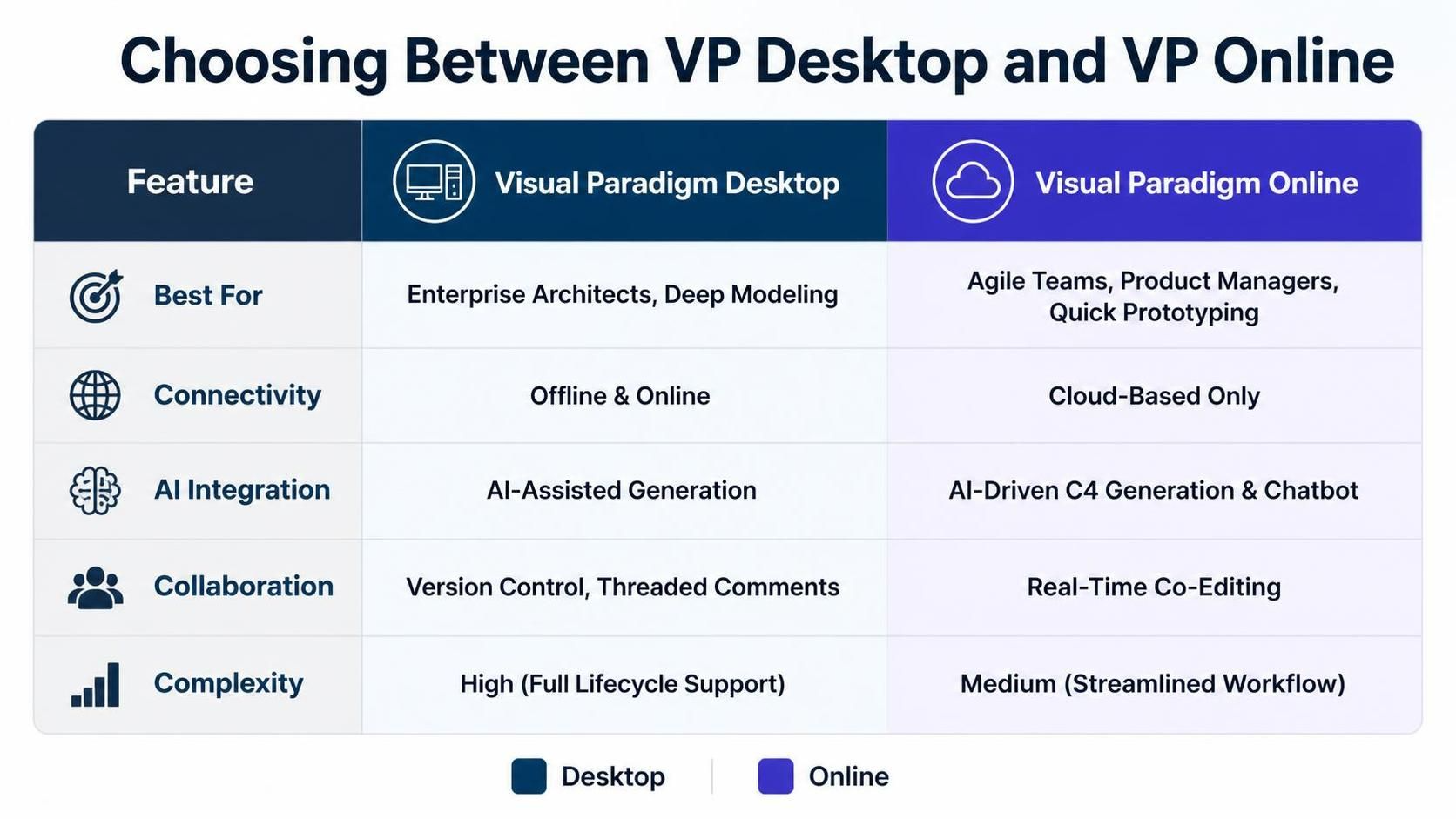
| Feature | Visual Paradigm Desktop | Visual Paradigm Online |
|---|---|---|
| Best For | Enterprise Architects, Deep Modeling | Agile Teams, Product Managers, Quick Prototyping |
| Connectivity | Offline & Online | Cloud-Based Only |
| AI Integration | AI-Assisted Generation | AI-Driven C4 Generation & Chatbot |
| Collaboration | Version Control, Threaded Comments | Real-Time Co-Editing |
| Complexity | High (Full Lifecycle Support) | Medium (Streamlined Workflow) |
Practical Implementation Strategy
To maximize efficiency, many organizations adopt a hybrid workflow. They use Visual Paradigm Online for the initial “C4 Generation” phase, utilizing the AI Chatbot to rapidly prototype the system landscape. Once the architecture is validated, the diagram is exported to Visual Paradigm Desktop for deep modeling, code generation, and integration with the enterprise version control system.
Conclusion
Whether you choose Visual Paradigm Desktop for its deep modeling capabilities and offline robustness or Visual Paradigm Online for its agile, AI-driven collaboration, you are investing in a clearer, more maintainable architectural future. Stop drawing static boxes and lines. Start building dynamic, AI-enhanced architectural narratives that drive your projects forward.