The transition from a visual mockup to a functional application is often where projects stall. This phase, known as the handoff, represents the critical bridge between creative vision and technical reality. When this bridge is weak, friction increases, timelines slip, and the quality of the final product suffers. For UX designers and developers working in tandem, establishing a robust workflow is not optional; it is essential.
This guide explores the mechanics of a seamless design-to-development process. We will examine preparation, specification, communication, and quality assurance without relying on specific proprietary tools. The focus remains on universal principles that apply regardless of the platform used.
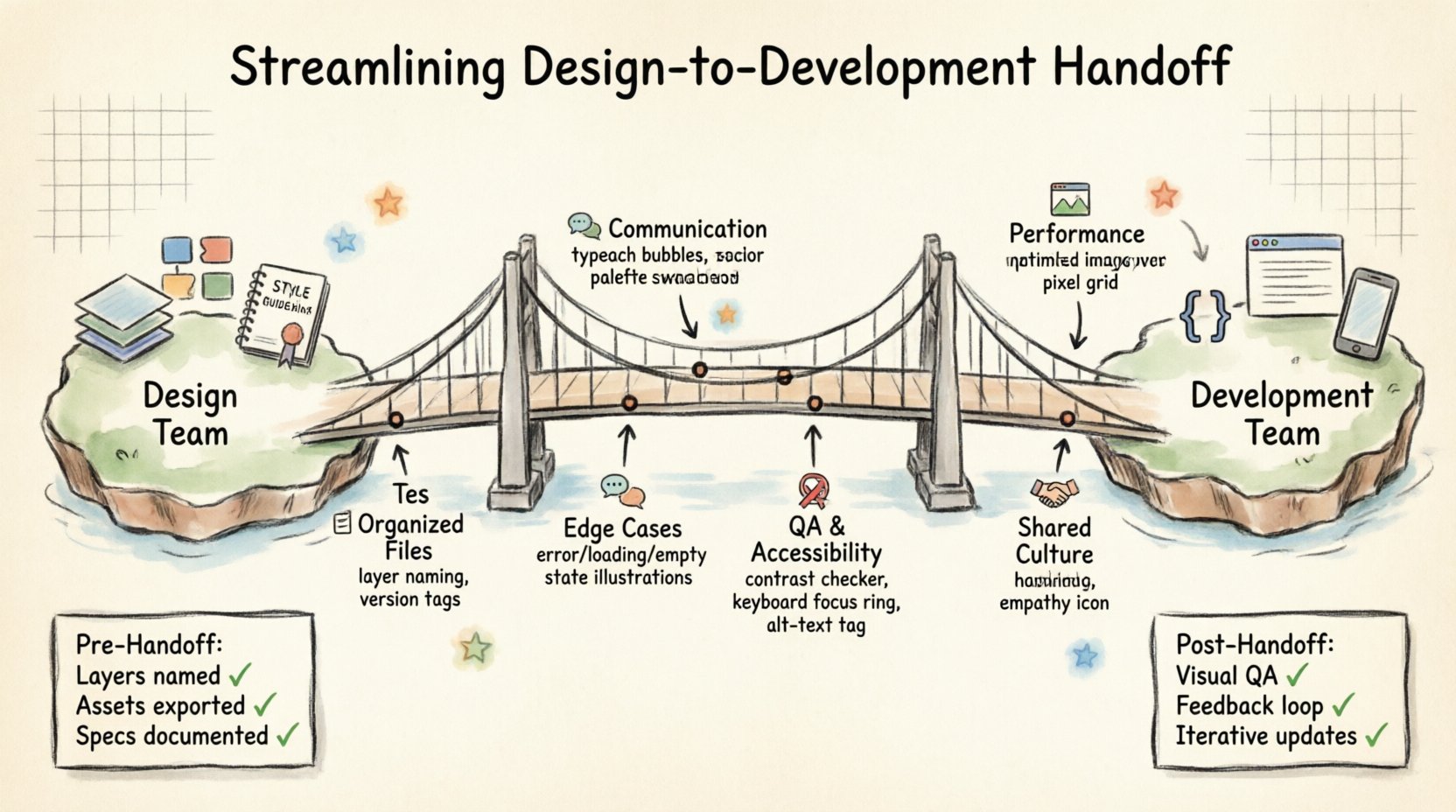
📋 Preparing the Design Environment
Before a single asset is exported or a ticket is created, the design file itself must be organized. A chaotic file structure creates ambiguity, leading to questions that delay progress. Organization is the first step toward efficiency.
- Layer Naming Conventions: Every element in the design file should have a clear, descriptive name. Generic labels like Rectangle 42 or Group 1 are useless during development. Instead, use names that reflect function, such as Primary CTA Button or Search Input Field.
- Component Libraries: Reusable elements should be grouped into instances. This ensures consistency across the interface. When a developer needs to build a button, they should find a single source of truth for its state, color, and interaction.
- Page Structure: Organize pages logically. Group related screens together. Use clear page names that match the project directory structure to avoid confusion when exporting.
- Version Control: Maintain a clear history of changes. Use version tags or naming conventions to indicate the current state (e.g., v1.2_Final). This prevents developers from working on outdated iterations.
📐 Defining Technical Specifications
Design files often lack the granular data required for implementation. Developers need specific measurements, color codes, and behavior descriptions. These details must be documented explicitly.
Typography and Font Usage
Typefaces are not just visual choices; they are technical constraints. The following information must be available:
- Font Families: Specify the exact font family for headings, body text, and UI elements.
- Line Heights: Define leading values in pixels or relative units (e.g., 1.5em).
- Letter Spacing: Provide kerning or tracking values, especially for uppercase text or small captions.
- Font Weights: Clearly distinguish between regular, medium, bold, and black weights to ensure the correct CSS is applied.
Spacing and Layout
White space is as important as content. Developers need to know the rhythm of the layout.
- Grid Systems: Define the column structure (e.g., 12-column grid) and gutter widths.
- Padding and Margins: Specify the distance between elements. Use a modular scale (e.g., 4px, 8px, 16px, 24px) to maintain consistency.
- Breakpoints: Outline how the layout behaves at different screen sizes. What changes at tablet width? What changes at mobile width?
Color and Assets
- Color Palette: Provide HEX, RGB, and CMYK values if needed for print. Define semantic colors (primary, secondary, error, success) rather than just arbitrary colors.
- Iconography: Export icons in SVG format for scalability. Specify stroke widths and fill colors.
- Images: Provide optimized raster files (WebP, JPG, PNG) and specify the intended dimensions.
💬 Communication Strategies
Documentation is vital, but it cannot replace dialogue. A successful handoff relies on active communication channels between the design team and the engineering team.
Walkthrough Sessions
Conduct a live walkthrough of the design. This is not a presentation; it is a collaborative review. Walk through the user flow step-by-step.
- Explain the Logic: Describe what happens when a user clicks a button. Does it navigate, open a modal, or trigger an animation?
- Highlight Edge Cases: Discuss scenarios that are not immediately obvious, such as empty states, loading states, or error messages.
- Record the Session: If possible, record the walkthrough so developers can reference it later without needing to ask the same questions repeatedly.
Feedback Loops
Establish a mechanism for developers to ask questions without interrupting the design workflow.
- Commenting Systems: Use the built-in commenting features of the design platform to tag specific elements with questions or notes.
- Ticketing Integration: Link design tasks to project management tickets. This creates a traceable record of decisions made during the handoff.
- Office Hours: Set aside specific times for developers to drop in with questions. This reduces context switching for designers.
🧩 Handling Edge Cases and States
Designers often focus on the ideal user journey. Developers must account for the messy reality of the web. Addressing edge cases during handoff prevents technical debt and rework.
- Error States: What does the interface look like when a form submission fails? Is there a message? Is the input highlighted?
- Loading States: Show skeleton screens or spinners to indicate that content is being fetched.
- Empty States: Design the view when there is no data. Include calls to action that guide the user on what to do next.
- Overflow Handling: Define how long text blocks behave. Do they scroll? Do they truncate with ellipses? Do they expand?
- Responsive Behavior: Detail how elements stack, hide, or resize on smaller screens. A horizontal nav bar on desktop might become a hamburger menu on mobile.
🔍 Accessibility and Compliance
Accessibility is often an afterthought, but it should be integrated into the handoff process. Ensuring the product is usable by everyone is a core requirement, not a bonus.
- Contrast Ratios: Verify that text meets WCAG standards for contrast against background colors.
- Focus States: Define how interactive elements look when selected via keyboard navigation (tabbing).
- Alt Text: Provide descriptive text for all images and icons that convey information.
- Screen Reader Labels: Specify ARIA labels for complex UI components like custom dropdowns or sliders.
📊 Measuring Handoff Efficiency
To improve the process, you must measure it. Track specific metrics to identify bottlenecks and areas for improvement.
| Friction Point | Impact | Proposed Solution |
|---|---|---|
| Ambiguous Specs | High Rework | Standardize a template for technical requirements. |
| Missing Assets | Development Delays | Create a checklist for asset export before handoff. |
| Unclear Interactions | Confusion | Use video walkthroughs for complex animations. |
| Version Mismatch | Confusion | Enforce strict naming conventions for file versions. |
| Accessibility Gaps | Compliance Risk | Include accessibility checklist in the final review. |
🔄 Post-Handoff Support
The handoff does not end when the code is pushed. Designers play a role during the implementation phase.
- Visual QA: Designers should review the built product against the design files. Look for pixel-perfect alignment, correct fonts, and accurate spacing.
- Interaction Review: Test animations and transitions to ensure they match the intended feel and timing.
- Iterative Updates: If a design flaw is discovered during development, document the fix clearly and update the design file. This maintains a single source of truth.
🛡️ Security and Performance Considerations
Design decisions can impact performance. Discussing these constraints early avoids last-minute compromises.
- Image Optimization: Large images can slow down page load times. Agree on compression standards and formats during the design phase.
- Asset Count: Too many separate image requests can strain the server. Encourage the use of sprites or SVGs where possible.
- Caching Strategies: Understand which elements are static and which are dynamic. This helps developers cache effectively.
🤝 Building a Shared Culture
Ultimately, the handoff is a human process. Technical workflows are only as good as the relationship between the people executing them.
- Empathy: Designers should understand the constraints of code. Developers should understand the intent of the design.
- Respect: Acknowledge the expertise of the other discipline. Do not dictate code structure; ask for guidance on feasibility.
- Shared Goals: Focus on the product success rather than individual departmental metrics. A better product benefits both teams.
📝 Documentation Templates
To standardize the process, create reusable documentation templates. This ensures nothing is overlooked.
- Handoff Checklist: A simple list of items to verify before sending a file (e.g., layers named, assets exported, comments resolved).
- Style Guide: A living document that describes colors, typography, and components used in the project.
- User Flow Diagrams: Visual maps that show how users move through the application.
- Interaction Scripts: Text descriptions of animations, hover states, and transitions.
🚀 Continuous Improvement
Workflows evolve. What works today might not work next year. Regular retrospectives help keep the process fresh.
- Post-Project Reviews: After a project launches, gather the team to discuss what went well and what did not.
- Tool Updates: Stay informed about new features in design and development platforms that could streamline the process.
- Training: Invest time in learning new techniques. Cross-training between designers and developers can break down silos.
🔗 Summary of Best Practices
Streamlining the handoff requires discipline, clarity, and collaboration. By focusing on organization, detailed specifications, open communication, and accessibility, teams can reduce friction and deliver higher quality products.
- Organize files logically with clear naming conventions.
- Document all technical specifications including typography and spacing.
- Hold walkthrough sessions to explain interactions and logic.
- Prepare for edge cases, empty states, and responsive behavior.
- Integrate accessibility checks into the design phase.
- Conduct visual QA after implementation.
- Measure metrics to identify and solve recurring issues.
- Foster a culture of empathy and shared goals.
When these practices are adopted, the gap between design and development narrows. The result is a smoother workflow, happier teams, and a product that meets both user needs and technical constraints.