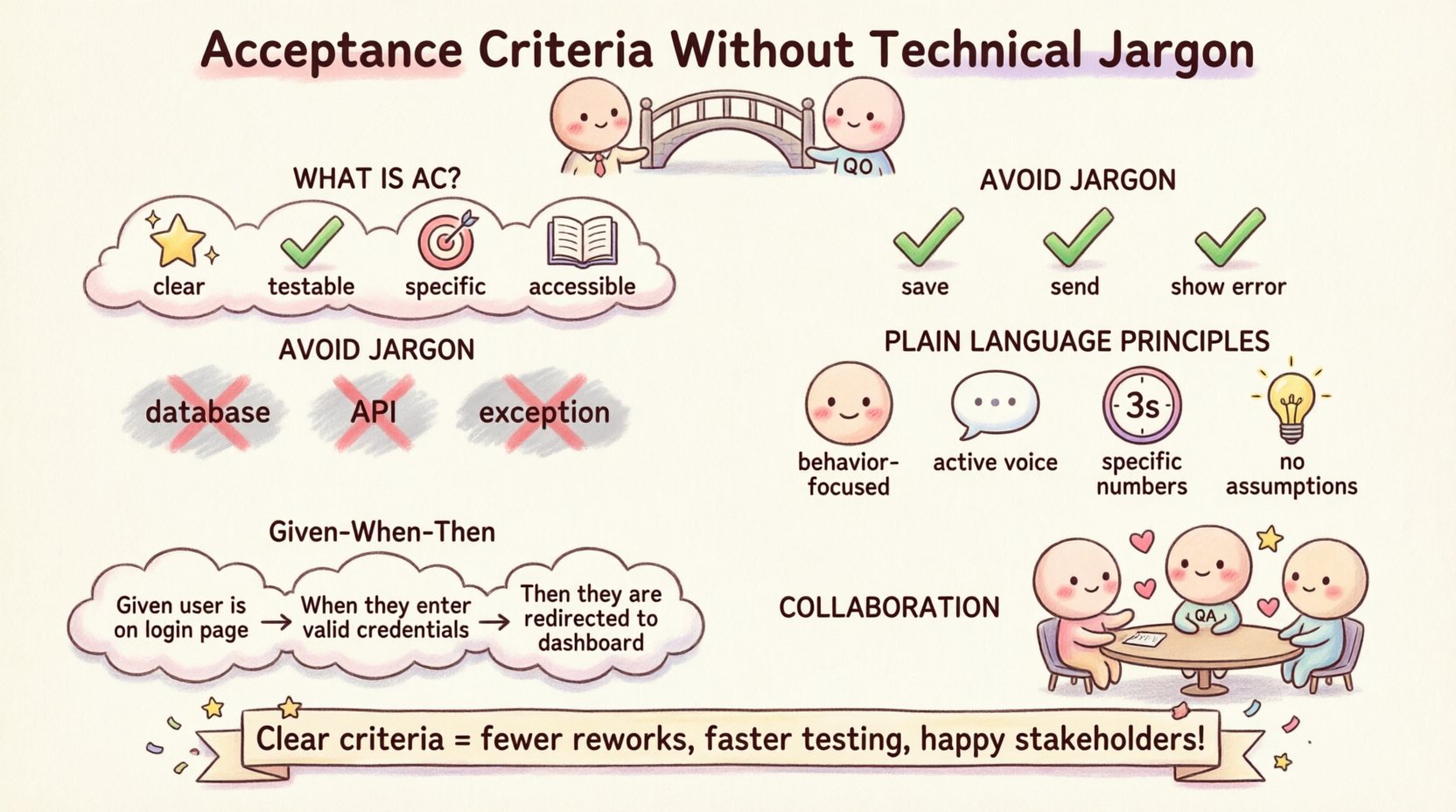
Writing requirements for software projects often creates a communication gap. Developers speak in code. Business stakeholders speak in value. Acceptance Criteria (AC) sit in the middle, acting as the bridge between what is needed and what is built. When this bridge is built using technical jargon, it becomes unstable. Non-technical team members cannot verify if the work is correct. Stakeholders lose trust in the process. This guide explains how to write Acceptance Criteria without technical jargon, ensuring clarity, collaboration, and quality delivery.
🧩 What Are Acceptance Criteria?
Acceptance Criteria define the conditions that a software product must satisfy to be accepted by a user or stakeholder. They are not a list of features, but rather a definition of boundaries. They answer the question: “What does done look like?”. In the context of a User Story, AC provides the necessary detail to ensure the development team understands the scope.
Effective Acceptance Criteria should be:
- Clear: No ambiguity. Everyone reads the same meaning.
- Testable: You can write a test case to verify them.
- Specific: They use concrete numbers and states, not vague terms.
- Accessible: They are written in language that the whole team understands.
🗣️ Why Technical Jargon Hurts Collaboration
When developers write Acceptance Criteria, there is a natural tendency to describe the implementation details. This happens because they know how the system works. However, describing the solution before the problem is solved introduces risk. It limits flexibility and creates confusion for those who do not code.
The Cost of Misunderstanding
Consider a scenario where a stakeholder reads a requirement and assumes a different meaning than the developer. This discrepancy leads to rework. Rework wastes time and budget. It also delays the release of value. Avoiding jargon reduces the chance of this gap occurring.
- Developers: Might focus on database fields instead of user outcomes.
- QA Testers: Might not know how to verify the behavior without understanding the API structure.
- Business Owners: Might approve the story thinking it meets their needs, only to find it does not.
Common Technical Terms to Avoid
To keep criteria accessible, certain words should be replaced with plain language equivalents. The goal is to describe the behavior, not the mechanism.
- Avoid: “Update the database record.”
Use: “Save the customer information.” - Avoid: “Call the API endpoint.”
Use: “Send the request to the server.” - Avoid: “Render the component.”
Use: “Show the button on the screen.” - Avoid: “Throw an exception.”
Use: “Display an error message.”
📝 Principles of Plain Language Requirements
Writing without jargon requires discipline. It demands that you step back from the technical solution and focus on the user experience. The following principles help maintain this focus.
1. Focus on Behavior, Not Implementation
Describe what the system does, not how it does it. The system should handle the internal logic. The user cares about the result. If the system changes its internal database structure, the user should not notice. Therefore, the AC should not mention the database.
- Bad: “Insert a row into the Orders table.”
- Good: “Create a new order record in the system.”
2. Use Active Voice
Passive voice obscures who is doing what. Active voice clarifies the action. It makes the criteria easier to read and understand.
- Bad: “The button should be clicked by the user.”
- Good: “The user clicks the button.”
3. Define Specific Numbers
Words like “fast”, “many”, or “soon” are subjective. They lead to arguments about what constitutes success. Use measurable values instead.
- Bad: “The page should load quickly.”
- Good: “The page loads within 3 seconds.”
4. Avoid Assumptions
Do not assume the user knows how the system works. State the conditions explicitly. If a step is required to perform an action, list it as a precondition.
- Bad: “You can delete the file.”
- Good: “If a file is selected, the user can delete it.”
🧪 The Given-When-Then Pattern (Simplified)
One of the most effective ways to write non-technical Acceptance Criteria is the Given-When-Then format. This structure is often associated with behavior-driven development, but it works well for plain language requirements too. It breaks the scenario into context, action, and outcome.
Breaking Down the Pattern
- Given: The initial state or context. What is happening before the action?
- When: The action taken by the user or system. What triggers the change?
- Then: The expected result. What happens after the action?
Example Scenario: Logging In
Imagine a user story about logging into a secure account. A technical version might mention session tokens. A plain language version focuses on the experience.
- Given: The user is on the login screen.
- When: The user enters a valid email and password, then clicks “Sign In”.
- Then: The user is taken to the home page.
This structure forces the writer to think about the flow of events rather than the code structure. It is easy for a business analyst to read and verify.
📊 Comparing Technical vs. Plain Language
Seeing examples side-by-side helps clarify the difference. The table below demonstrates how to translate technical requirements into user-focused language.
| ❌ Technical Version | ✅ Plain Language Version |
|---|---|
| When the user submits the form, execute a POST request to /api/submit with JSON payload. | When the user clicks “Submit”, the information is sent to the system. |
| Ensure the database transaction is rolled back if the connection times out. | If the connection fails, the system does not save the data and asks the user to try again. |
| Validate input against regex pattern for email. | Ensure the email address is formatted correctly before saving. |
| Return HTTP 404 if the resource ID does not exist. | Show a message saying the requested item cannot be found. |
| Clean up session cookies on logout. | Remove the login status when the user clicks “Logout”. |
🤝 The Role of Collaboration
Writing Acceptance Criteria is rarely a solo task. It requires input from the Product Owner, the Development Team, and Quality Assurance. Collaboration ensures that the plain language is accurate and the technical constraints are respected without being explicit.
Preparing for the Discussion
Before writing the final criteria, gather information. Ask the business stakeholders what they need. Ask the developers what is feasible. This preparation reduces the back-and-forth later.
- Review existing documentation: Check if there are similar features already built.
- Identify edge cases: What happens if the internet goes down? What if the user enters the wrong data?
- Set constraints: Are there time limits or security requirements that must be met?
Refining the Criteria
Once the draft is ready, review it with the team. Use the criteria as a discussion point, not a final contract. This allows for adjustments based on new technical discoveries.
- Walkthroughs: Read the criteria aloud. Does it make sense to a non-technical person?
- Questioning: Ask “What if?” questions to test the boundaries.
- Testing: Have a tester try to write a test case based on the criteria. If they struggle, the criteria are too vague.
🛠️ Handling Edge Cases Without Complexity
Edge cases are scenarios that do not happen often but must work when they do. Describing them without jargon can be challenging. The key is to describe the user experience during the error, not the error code itself.
Common Edge Cases
- Network Failure: “If the internet connection is lost, the system saves the data locally and notifies the user.”
- Invalid Input: “If the user types letters into the phone number field, the system shows an error and highlights the field.”
- Missing Data: “If a required field is empty, the system prevents saving and asks for the information.”
- Permission Issues: “If the user does not have access, the system hides the button.”
By focusing on the visible reaction, you keep the criteria accessible. The developer knows how to implement the fix behind the scenes.
📈 Measuring Success and Quality
How do you know if your Acceptance Criteria are working? You measure them by the quality of the delivered work and the efficiency of the process.
Indicators of Good Criteria
- Fewer Reworks: The team builds the right thing the first time.
- Faster Testing: Testers can verify the story quickly without asking for clarification.
- Clear Sign-off: Stakeholders can confirm the work is done without confusion.
- Reduced Ambiguity: Fewer questions arise during the development phase.
Definition of Done vs. Acceptance Criteria
It is important to distinguish between Acceptance Criteria and the Definition of Done (DoD). The DoD applies to every single task, regardless of the feature. It includes things like code review, security checks, and unit tests. Acceptance Criteria are specific to the User Story.
- DoD: “Code is reviewed, tests pass, and documentation is updated.”
- AC: “The user can filter products by price range.”
Both are necessary for quality. DoD ensures technical health. AC ensures business value.
🚧 Common Mistakes to Avoid
Even with good intentions, teams often fall into traps. Being aware of these common mistakes helps maintain high standards.
Mistake 1: Being Too Vague
Saying “The system should be fast” is not enough. It invites debate. Define what “fast” means in your context. Is it under 1 second? Under 5 seconds?
Mistake 2: Mixing AC with Tasks
Do not list the steps the developer needs to take. For example, “Create a new database table” is a task, not an acceptance criterion. The criterion is the outcome, not the method.
Mistake 3: Ignoring Negative Cases
Writing only about what happens when things go right is incomplete. A robust set of criteria includes what happens when things go wrong. This protects the user experience.
Mistake 4: Using Too Many Conditions
If a User Story has twenty Acceptance Criteria, it might be too large. Try to break it down into smaller stories. Smaller stories are easier to understand and test.
🛡️ Ensuring Accessibility and Clarity
Plain language is not just about avoiding code words. It is about making the content accessible to everyone on the team. This includes people who might have different learning styles or language proficiencies.
Tips for Accessibility
- Short Sentences: Keep sentences under 20 words when possible.
- Simple Words: Use common vocabulary instead of industry jargon.
- Visual Aids: Where possible, attach screenshots or wireframes to clarify the criteria.
- Consistent Terminology: Use the same words for the same concepts throughout the project.
🔄 The Review Process
Once the criteria are written, they need to be reviewed. This is not a one-time event. As the project evolves, the criteria may need updates. A living document ensures that the requirements remain accurate.
Review Checklist
- Is it testable? Can we verify this with a test?
- Is it complete? Does it cover all user flows?
- Is it clear? Can a new team member understand it?
- Is it consistent? Does it match other stories in the backlog?
🎯 Final Thoughts on Clear Requirements
Writing Acceptance Criteria without technical jargon is an investment in the project’s success. It bridges the gap between business needs and technical execution. It reduces errors, saves time, and builds trust among stakeholders. By focusing on plain language, clear outcomes, and user behavior, teams can deliver high-quality software that truly meets user needs.
The effort to avoid complexity pays off in smoother communication and faster delivery. When everyone understands the goal, the team moves forward with confidence. This approach leads to better products and happier teams.